Xml Sitemap
Extension Installation
For Magento Marketplace Customers
-
Find the Composer name and version of the extension in the extension's composer.json file.
-
Login to your SSH and run:
- composer require mavenbird/module-xml-sitemap
- Wait for Composer to finish updating your project dependencies and make sure there aren't any errors.
-
To verify that the extension installed properly, run the command:
- php bin/magento module:status Mavenbird_XmlSitemap
- By default, the extension is probably disabled.
- Enable the extension and clear static view files:
- php bin/magento module:enable Mavenbird_XmlSitemap --clear-static-content
- php bin/magento setup:upgrade
- For Magento version 2.0.x to 2.1.x - php bin/magento setup:static-content:deploy
- For Magento version 2.2.x & above - php bin/magento setup:static-content:deploy --f
- php bin/magento cache:flush
For Mavenbird Customers
- Extract the zip folder and upload our extension to the root of your Magento 2 directory via FTP.
- Login to your SSH and run below commands step by step:
- php bin/magento setup:upgrade
- For Magento version 2.0.x to 2.1.x - php bin/magento setup:static-content:deploy
- For Magento version 2.2.x & above - php bin/magento setup:static-content:deploy --force
- php bin/magento cache:flush
Empower your Magento 2 store's SEO performance by automating the generation of XML sitemaps, ensuring better search engine visibility. The Magento 2 XML Sitemap Extension helps you easily manage and optimize your XML sitemaps for Google and other search engines, leading to improved indexing and search rankings.
- Automatically generate XML sitemaps for products, categories, CMS pages, and custom URLs.
- Figure the priority and frequency settings for different types of pages (e.g., product, category, CMS pages) to guide search engines on how often pages should be crawled.
- Generate separate sitemaps for each store view to manage multi-language or multi-region stores efficiently.
- Add any custom URLs to the XML sitemap that are not automatically included by default.
- Exclude specific products, categories, or CMS pages from the sitemap based on your requirements.
- Automatically split large sitemaps into smaller files to stay within search engine limits and ensure efficient crawling.
- Generate a sitemap index file that links to all individual sitemaps for seamless submission to search engines.
- Set up a cron job to automate the sitemap generation process at regular intervals, ensuring your sitemap is always up-to-date.
Configuration
Go to Stores > Settings > Configuration > General > MAVENBIRD EXTENSIONS > XML Sitemap.

Access Extension Settings
- Enable/Disable : This will allow administrators to easily enable or disable the feature based on their business needs.
Go to Stores > Configuration > Catalog > XML Sitemap and go through the XML sitemap options.
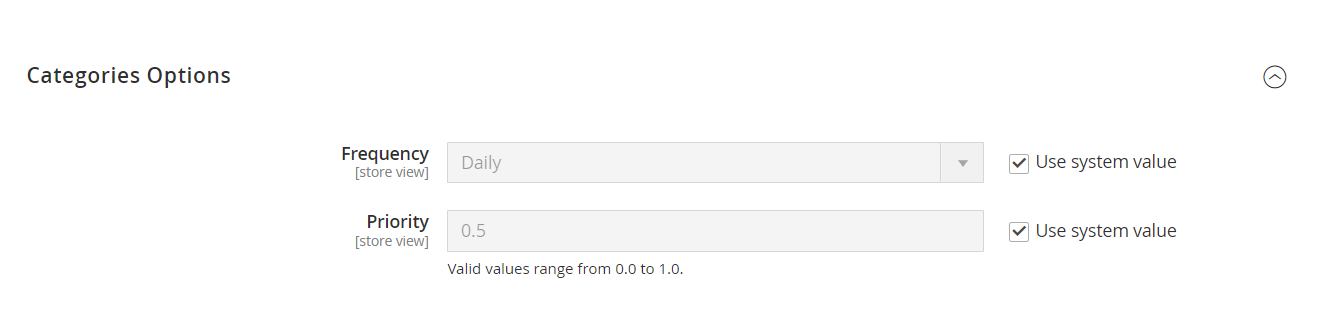
- Frequency: Set to "Daily," ensuring category URLs are updated frequently.
- Priority: Set to "0.5," indicating moderate importance for these URLs.
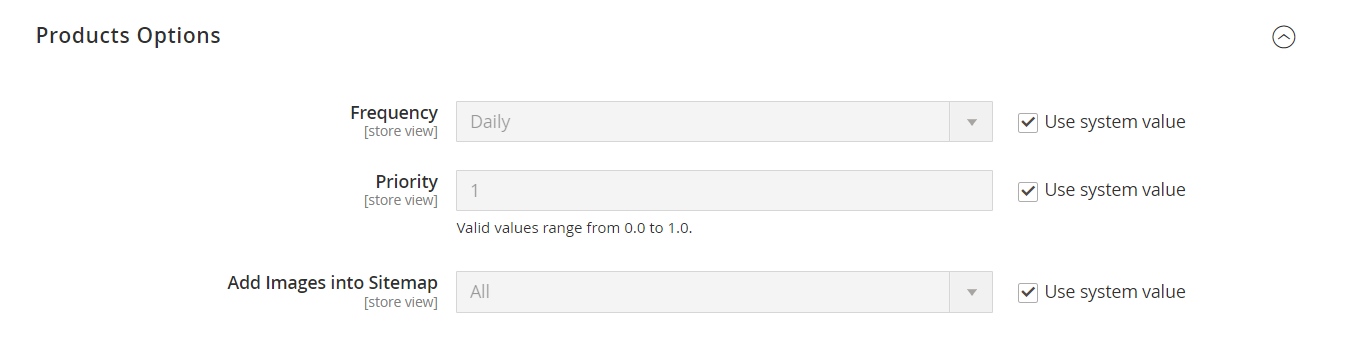
- **Frequency:**Set to "Daily," indicating how often the product URLs should be updated in the sitemap.
- **Priority:**Set to "1," which is the highest priority, suggesting that these URLs are very important for search engines.
- **Add Images into Sitemap:**Set to "All," meaning all product images will be included in the sitemap.
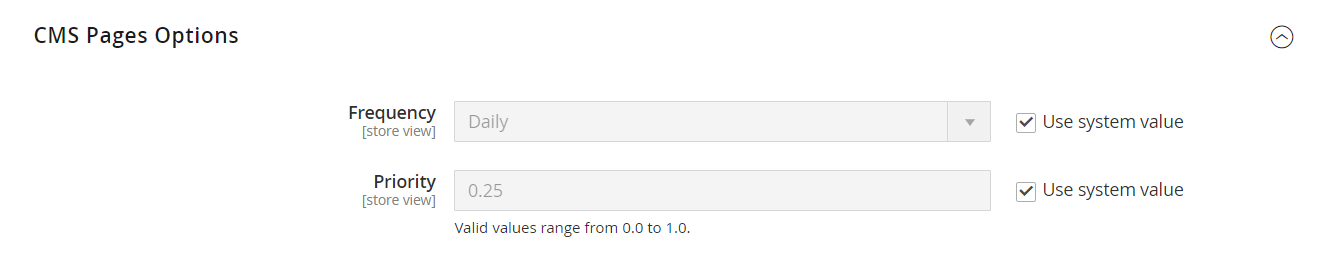
- **Frequency:**Set to "Daily," indicating that CMS pages will be updated regularly in the sitemap.
- **Priority:**Set to "0.25," reflecting a lower importance compared to product and store URLs.
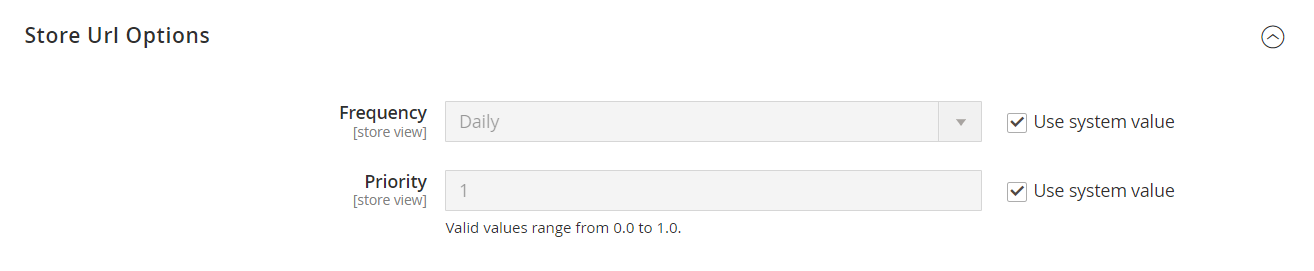
- **Frequency:**Also set to "Daily," ensuring store URLs are updated frequently in the sitemap.
- **Priority:**Set to "1," indicating high importance for these URLs as well.
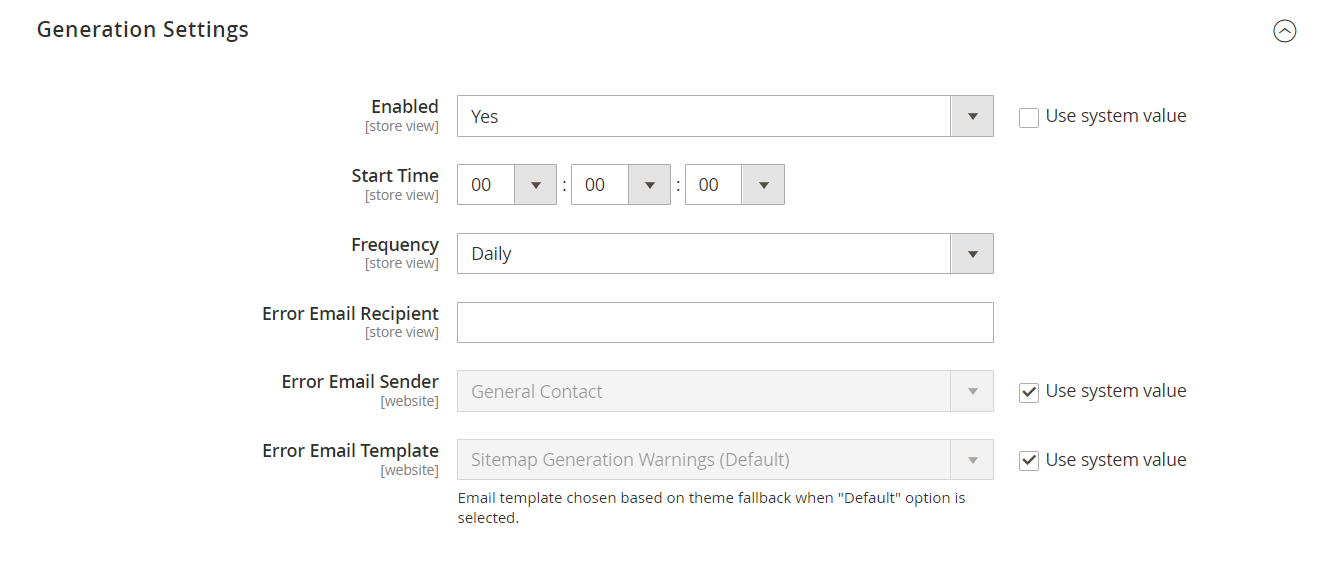
- **Enabled:**This option allows you to enable or disable the sitemap generation feature.
- **Start Time:**Specifies the time at which the sitemap generation process will start each day. The format is HH:MM:SS.
- **Frequency:**Indicates how often the sitemap should be generated. In this case, it is set to generate daily.
- **Error Email Recipient:**This field is for entering the email address that will receive notifications in case of errors during sitemap generation.
- **Error Email Sender:**Specifies the name or email address that will appear as the sender of error notifications.
- **Error Email Template:**This option allows you to select the email template used for sending error notifications related to sitemap generation. The default template is used if no other is specified.
- **Use System Value:**This option allows you to revert to the default system settings for the respective fields if checked.
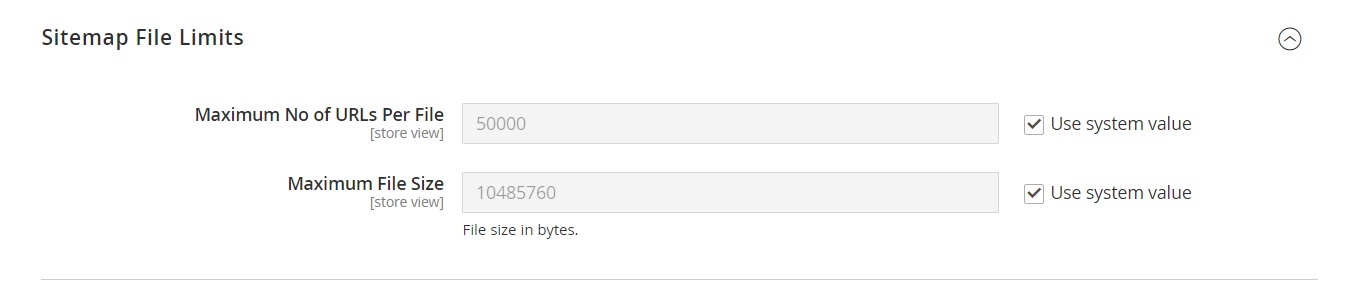
- **Maximum No of URLs Per File:**Set to "50000," which is the maximum number of URLs allowed in a single sitemap file.
- **Maximum File Size:**Set to "10485760" bytes (10 MB), indicating the maximum size for a sitemap file.

- **Enable Submission to Robots.txt:**Set to "No," indicating that the sitemap will not be submitted to the robots.txt file for search engines.
Sitemap generation
Now that you set up sitemap settings, you can create your XML sitemap file.
Navigate to Marketing > Seo & Search > Site Map and press the Add Sitemap button.
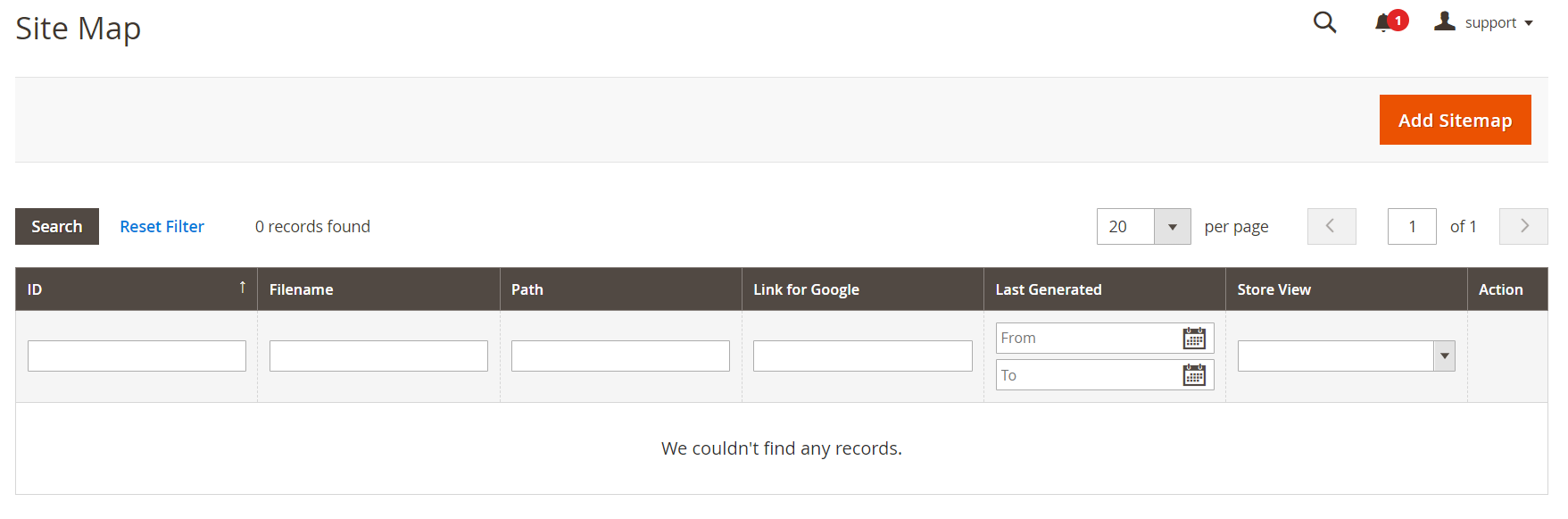
Set the name of the XML file in the Filename field, enter the Path where it should be located and press the Save & Generate button.
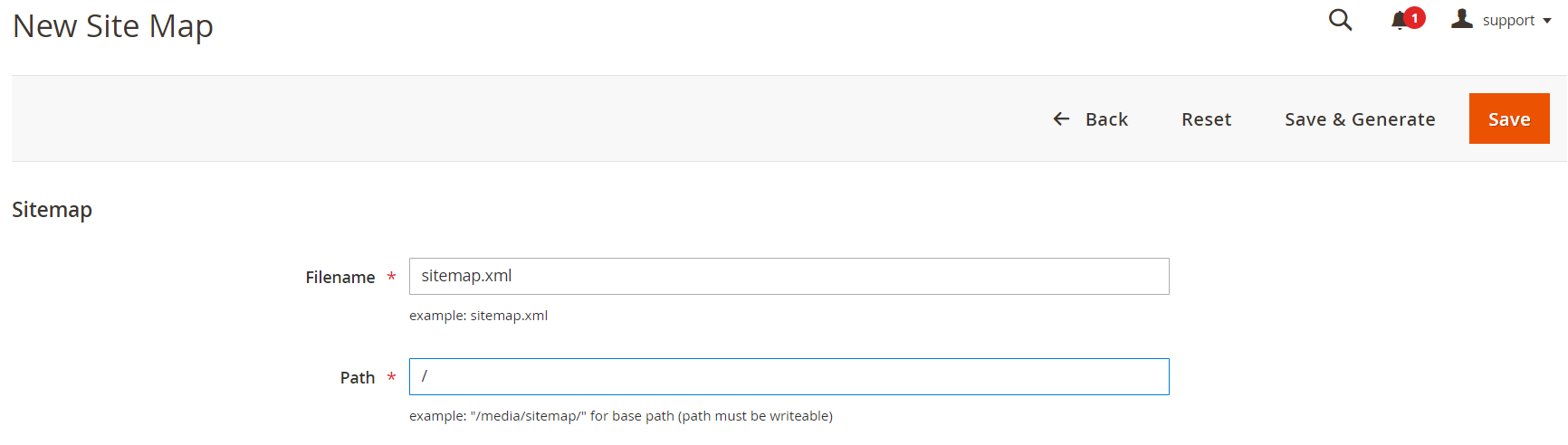
Once you finish you'll find the generated sitemap in the list of sitemaps.
Automate Magento Sitemap Generation
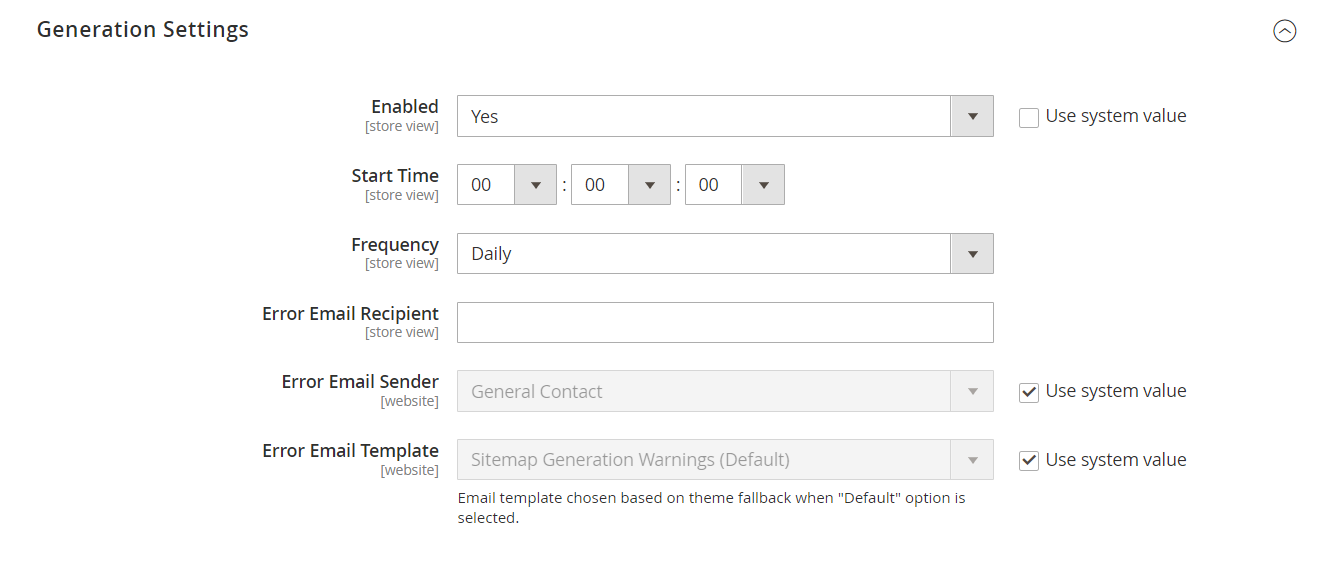
- If you've followed this guide from the start, you might have noticed this. You've already set up the auto-generation of the sitemap.
- Once you fill out the Generation Settings in the Stores > Configuration > Catalog > XML Sitemap section all you need is to submit the XML file to Google Search Console. Search robots will retrieve all the data from there.
Exclude Some Pages From XML Sitemap
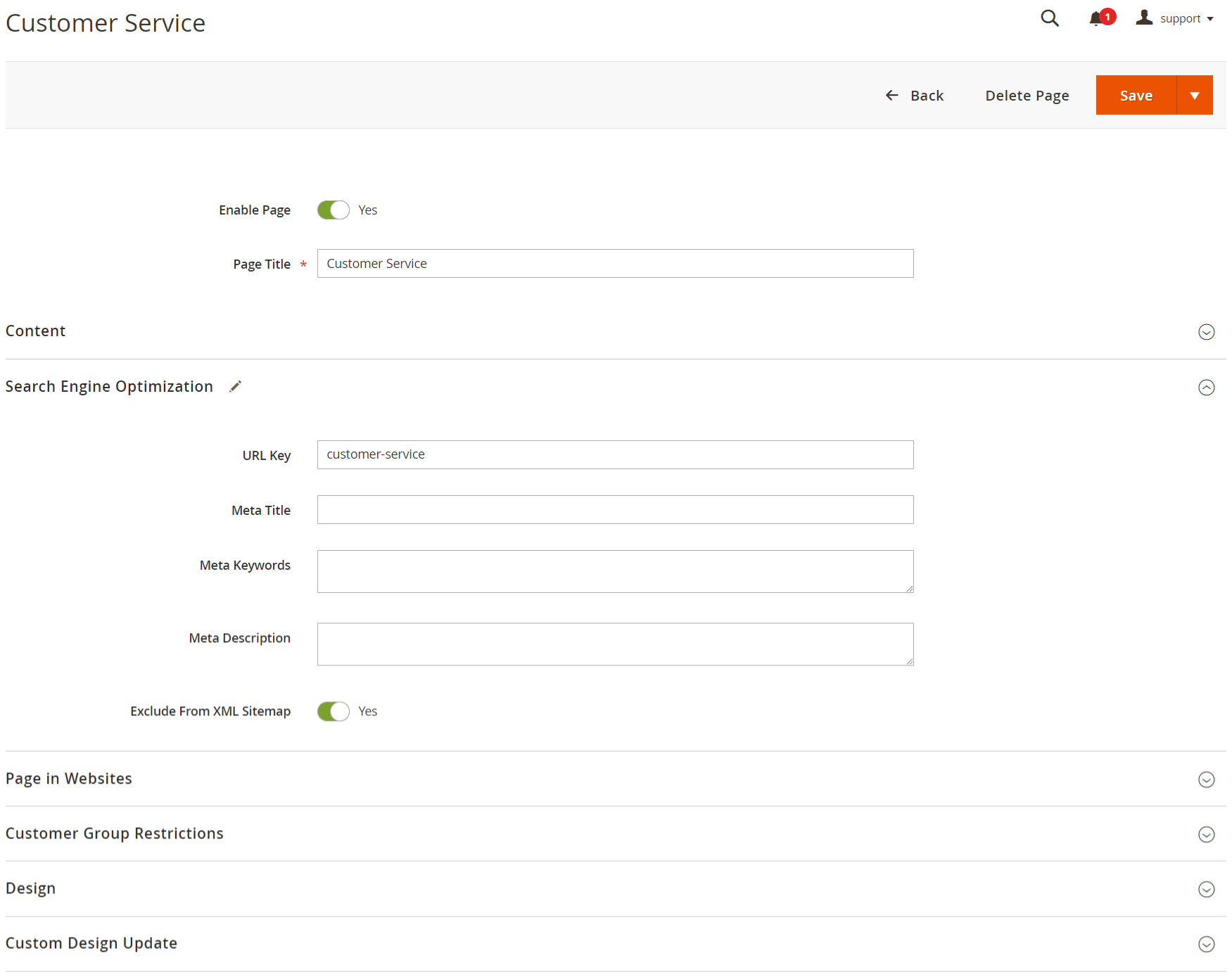
- Although Magento allows you to handle the XML sitemap seamlessly, it doesn't offer an option to disable pages from the sitemap. And that might come in handy if you have some pages that you don't want in search results.
- In that case, you can resort to the Magento 2 XML Sitemap extension, that allows you to exclude pages from sitemap in Magento.