Free Shipping Admin
Extension Installation
For Magento Marketplace Customers
-
Find the Composer name and version of the extension in the extension's composer.json file.
-
Login to your SSH and run:
- composer require mavenbird/module-free-shipping-admin
- Wait for Composer to finish updating your project dependencies and make sure there aren't any errors.
-
To verify that the extension installed properly, run the command:
- php bin/magento module:status Mavenbird_AdminOnlyFreeShipping
- By default, the extension is probably disabled.
- Enable the extension and clear static view files:
- php bin/magento module:enable Mavenbird_AdminOnlyFreeShipping --clear-static-content
- php bin/magento setup:upgrade
- For Magento version 2.0.x to 2.1.x - php bin/magento setup:static-content:deploy
- For Magento version 2.2.x & above - php bin/magento setup:static-content:deploy --f
- php bin/magento cache:flush
For Mavenbird Customers
- Extract the zip folder and upload our extension to the root of your Magento 2 directory via FTP.
- Login to your SSH and run below commands step by step:
- php bin/magento setup:upgrade
- For Magento version 2.0.x to 2.1.x - php bin/magento setup:static-content:deploy
- For Magento version 2.2.x & above - php bin/magento setup:static-content:deploy --force
- php bin/magento cache:flush
Enhance your Magento 2 store's shipping management with the Free Shipping Admin Module. This module allows administrators to easily configure and manage free shipping options from the Magento admin panel, making it simpler to create promotional offers and optimize shipping strategies.
- Easily configure free shipping rules and conditions directly from the Magento admin panel.
- Define specific conditions for free shipping, including minimum order amounts, product categories, or customer groups.
- Create promotional free shipping campaigns to drive sales and improve customer satisfaction.
- Compatible with Magento 2.4.X and supports PHP versions 8.1 to 8.3.
- Install via composer for straightforward setup and updates.
- Seamlessly update using composer and Magento CLI commands.
- Robust error handling to maintain stability and reliability.
Configuration
Store→ Configuration→ Sales->Delivery Methods->Free Shipping.
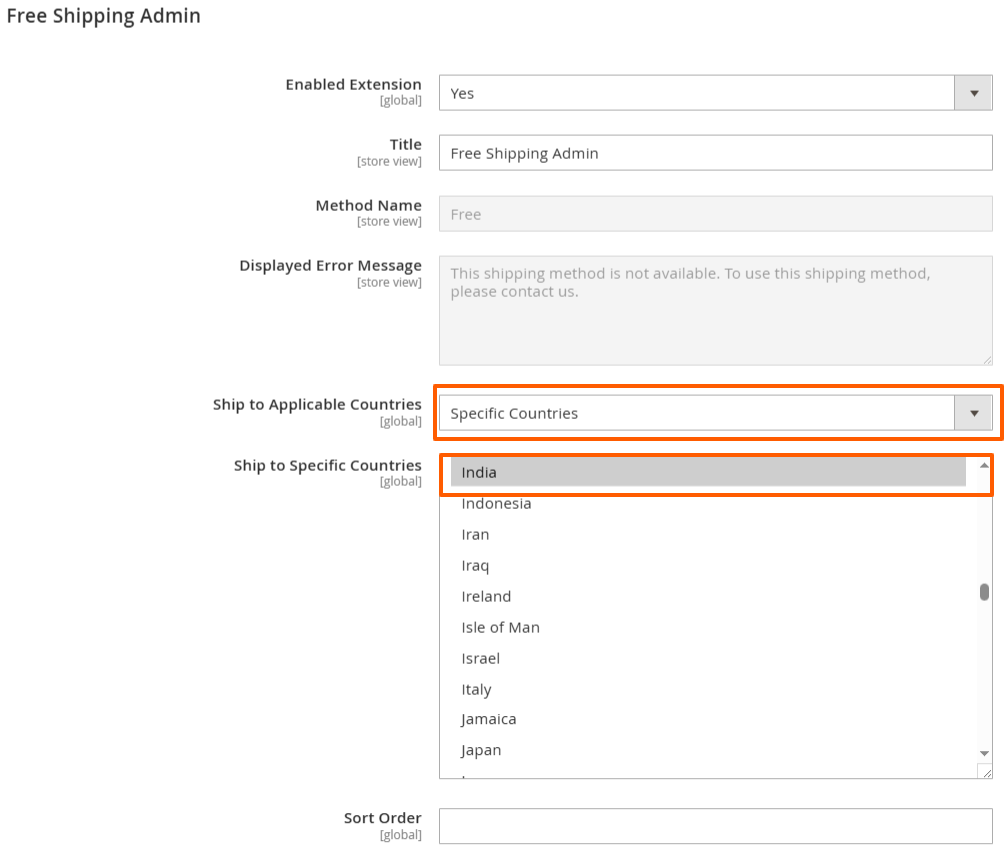
Enable Extension: A toggle to activate or deactivate the free shipping option.
Title: The name displayed to customers for this shipping method, set as "Free Shipping."
Method Name: Specifies the method used for shipping, also labeled as "Free."
Minimum Order Amount: A field to set a minimum purchase amount required to qualify for free shipping (currently left blank).
Include Tax to Amount: An option to determine whether taxes should be included in the minimum order amount calculation.
Displayed Error Message: A customizable message shown to customers if free shipping is not available, indicating they should contact support.
Ship to Applicable Countries: A dropdown to select whether free shipping applies to all countries or specific ones. Here, "Specific Countries" is selected.
Ship to Specific Countries: A list where "India" is highlighted, indicating that free shipping is available specifically to this country, along with other countries listed below.
Show Method if Not Applicable: An option to display the shipping method even if it doesn't apply.
Sort Order: A field to determine the order in which this shipping method appears in the checkout process.
Order Details
Go to Sales->Order Page.
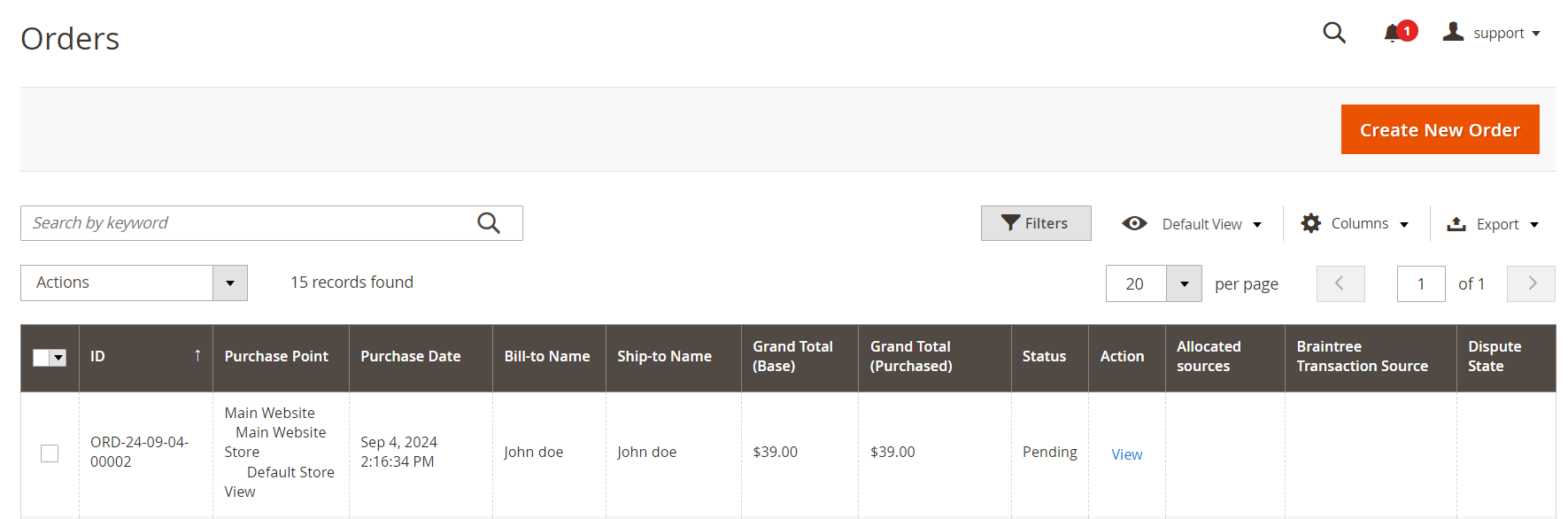
Click on "Create New Order" button and create your new order.
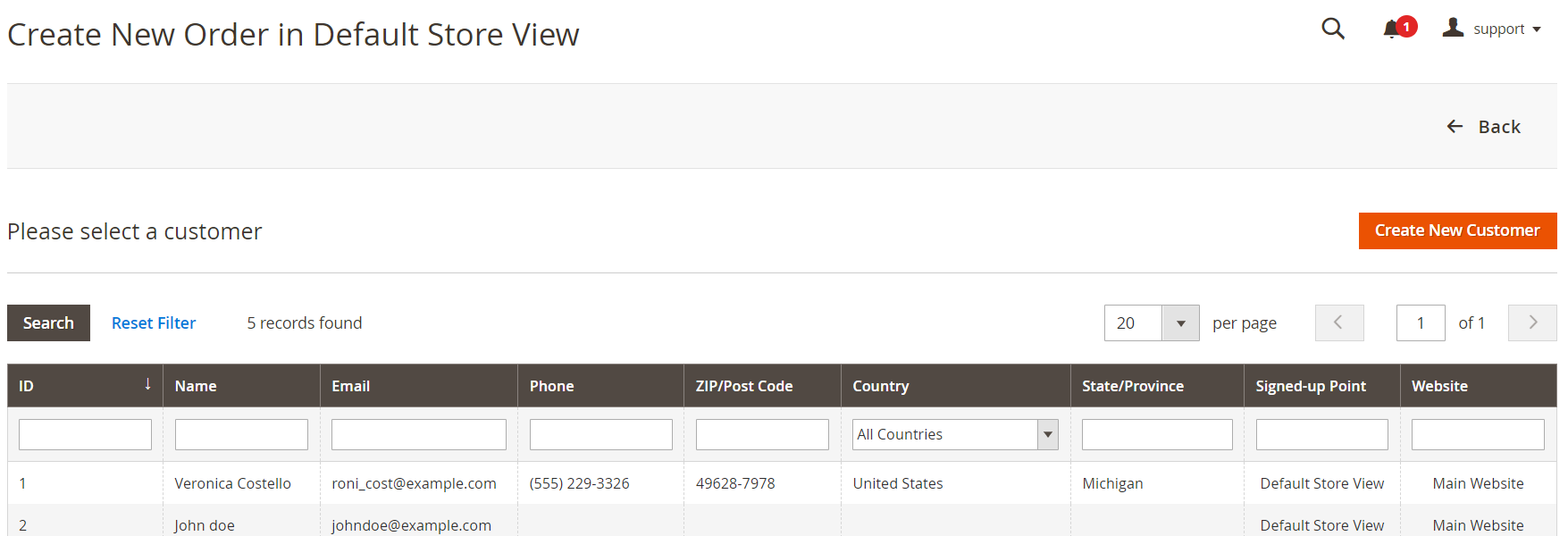
Now, click on "Create New Customer" button and create your customer.
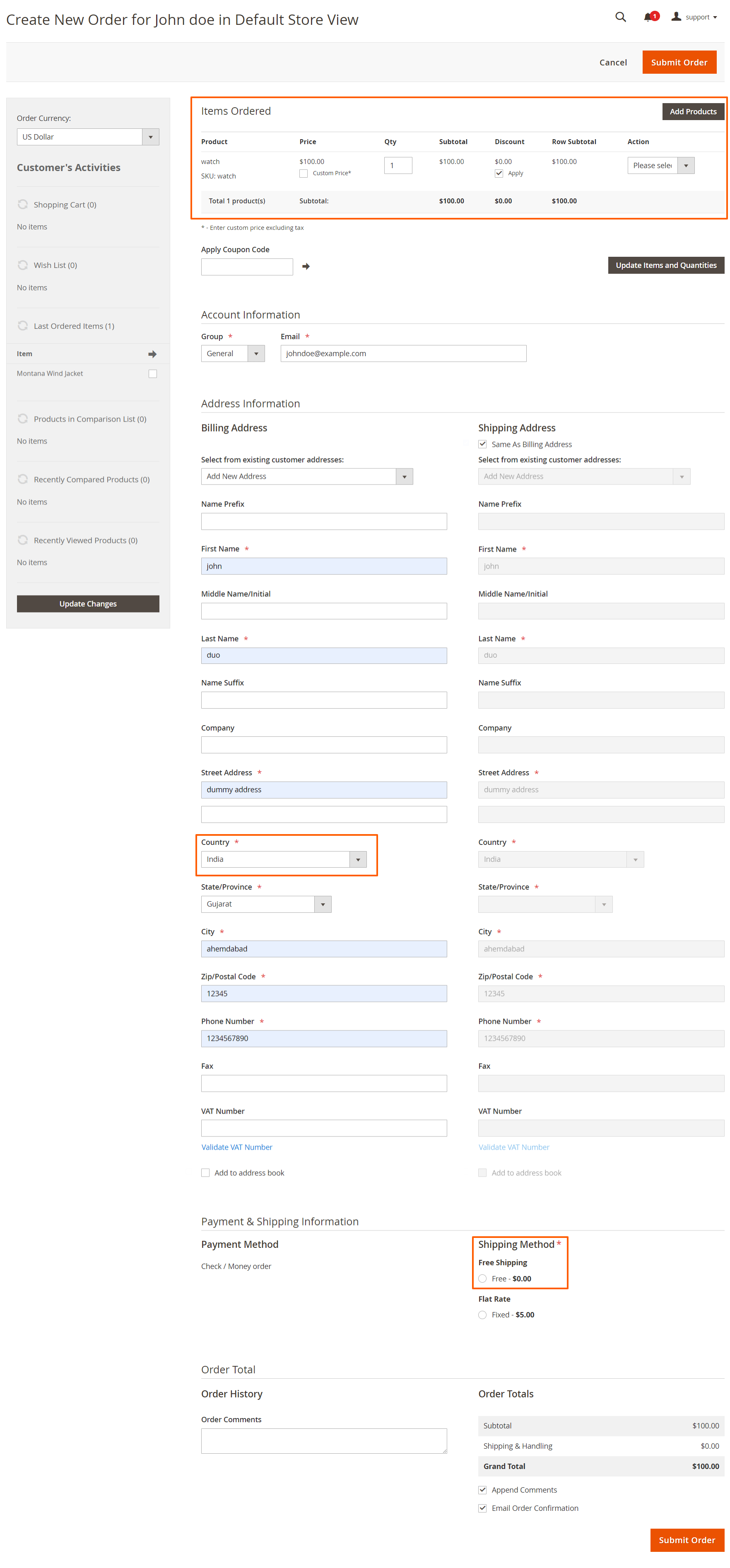
Product Selection:
- Clicking Add Product redirects you to the product selection page, where you can browse or search for products to include in the order.
- Use search and filter options on the selection page to quickly locate the desired product.
- Once you’ve selected the product, confirm the choice to add it to the order and proceed with further configuration.
Payment Shipping Information:
- In the store configuration for the Free Shipping module, admins have the option to set restrictions for free shipping.
- They can select specific countries where the free shipping option will be applicable.
- This allows for targeted shipping promotions and ensures that free shipping is only available in selected geographic regions.
- As Per Above Image Please Click on Get Shipping Methods and Rates.
- Choose the Free Shipping option from the available shipping methods, ensuring it meets your criteria for eligibility.
- Confirm that the shipping rates are correctly displayed as zero or match your free shipping criteria.
- Click "Submit Order" to finalize the purchase and initiate the order fulfillment process with free shipping delivery.