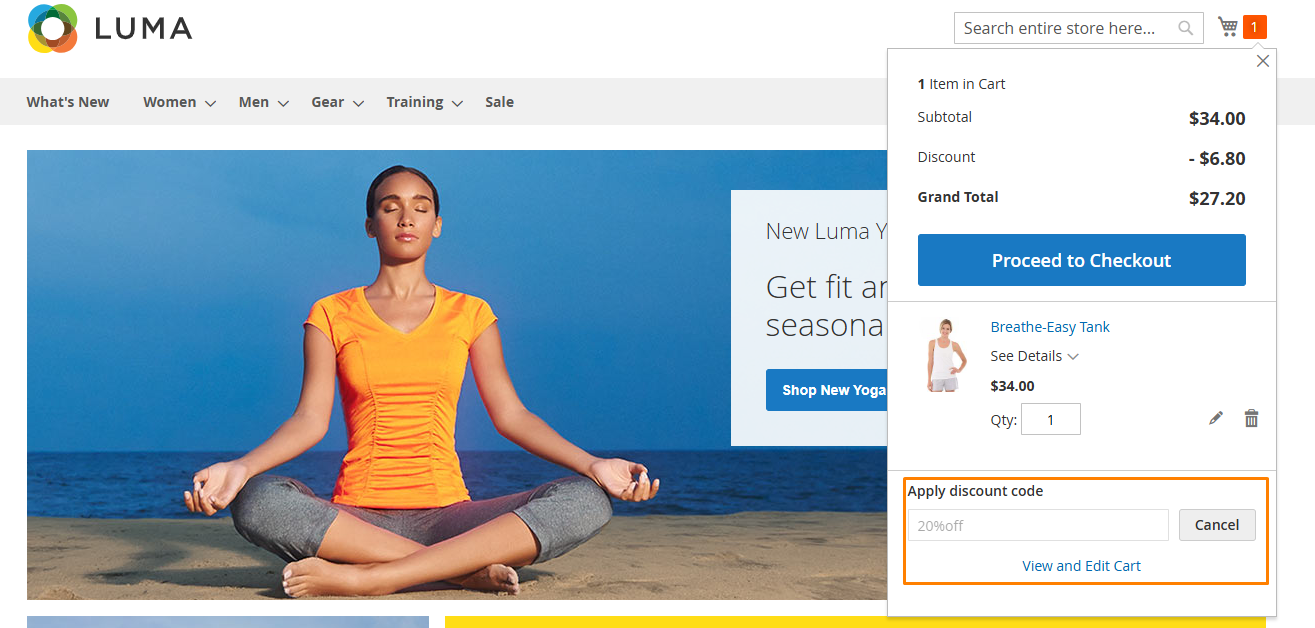
Minicart Coupon
Extension Installation
For Magento Marketplace Customers
-
Find the Composer name and version of the extension in the extension's composer.json file.
-
Login to your SSH and run:
- composer require mavenbird/module-mini-cart-coupon
- Wait for Composer to finish updating your project dependencies and make sure there aren't any errors.
-
To verify that the extension installed properly, run the command:
- php bin/magento module:status Mavenbird_MiniCartCoupon
- By default, the extension is probably disabled.
- Enable the extension and clear static view files:
- php bin/magento module:enable Mavenbird_MiniCartCoupon --clear-static-content
- php bin/magento setup:upgrade
- For Magento version 2.0.x to 2.1.x - php bin/magento setup:static-content:deploy
- For Magento version 2.2.x & above - php bin/magento setup:static-content:deploy --f
- php bin/magento cache:flush
For Mavenbird Customers
- Extract the zip folder and upload our extension to the root of your Magento 2 directory via FTP.
- Login to your SSH and run below commands step by step:
- php bin/magento setup:upgrade
- For Magento version 2.0.x to 2.1.x - php bin/magento setup:static-content:deploy
- For Magento version 2.2.x & above - php bin/magento setup:static-content:deploy --force
- php bin/magento cache:flush
The Mini Cart Coupon extension gives the ability to your customers to apply a coupon code in Mini Cart. There is no need anymore to wait until the Cart or Checkout page. Additional you can configure to display the Grand Total and the Discount Amount in Mini Cart. Provide a better shopping experience to your customers and a better overview of the total cost of their purchases.
Features
- Apply a coupon code in Mini Cart.
- Display Grand Total in Mini Cart.
- Display Discount Amount in Mini Cart.
- Ajax processing and totals calculation.
- Better customers’ shopping experience.
Configuration
Stores → Configuration → MAVENBIRD EXTENSIONS→ Mini Cart Coupon.
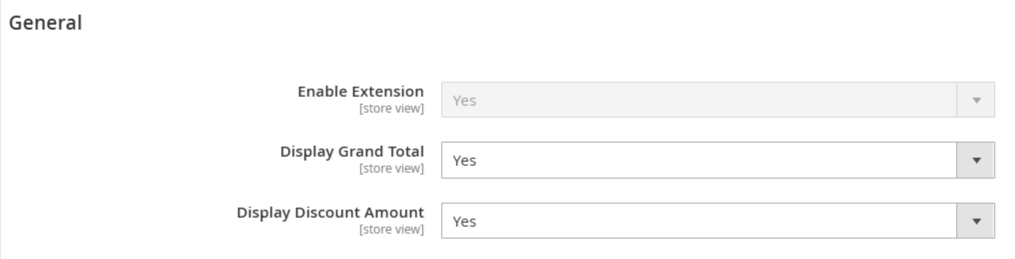
Enable Extension: Select yes/no option for extension enable or disable.
Display Grand Total: If select yes then display Grand total in minicart.
Display Discount Amount: If select yes then display Discount amount in minicart.
Create Cart Price Rule
Create cart price rule to go Marketing →Cart Price Rules.
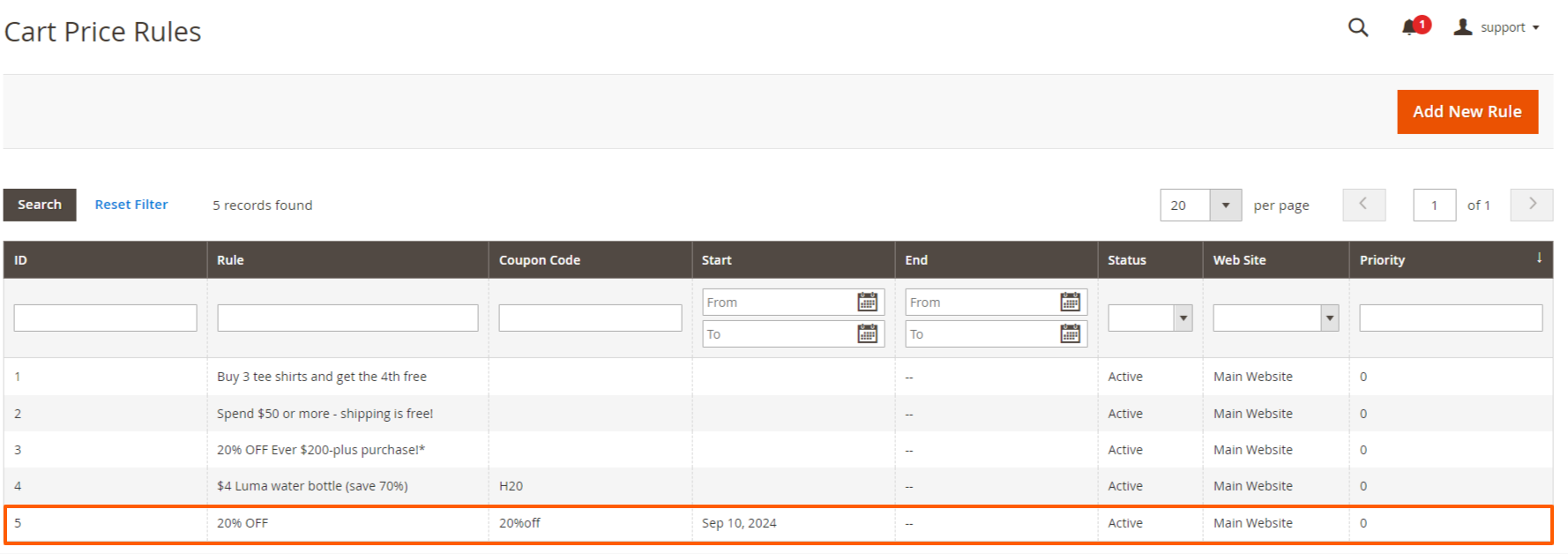
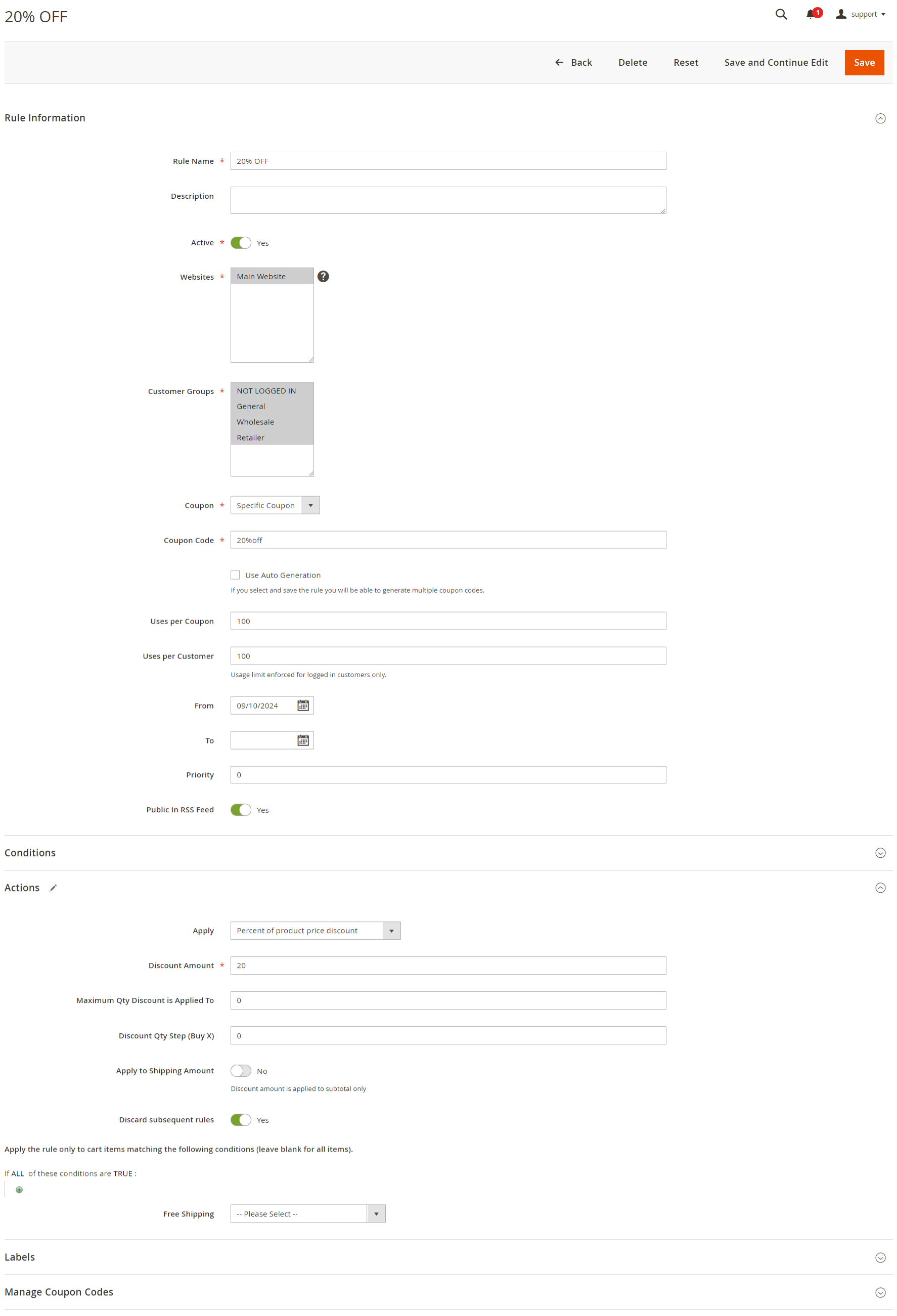
Create a rule for discount 20% of product applied when the coupon code is test.
Minicart on frontend
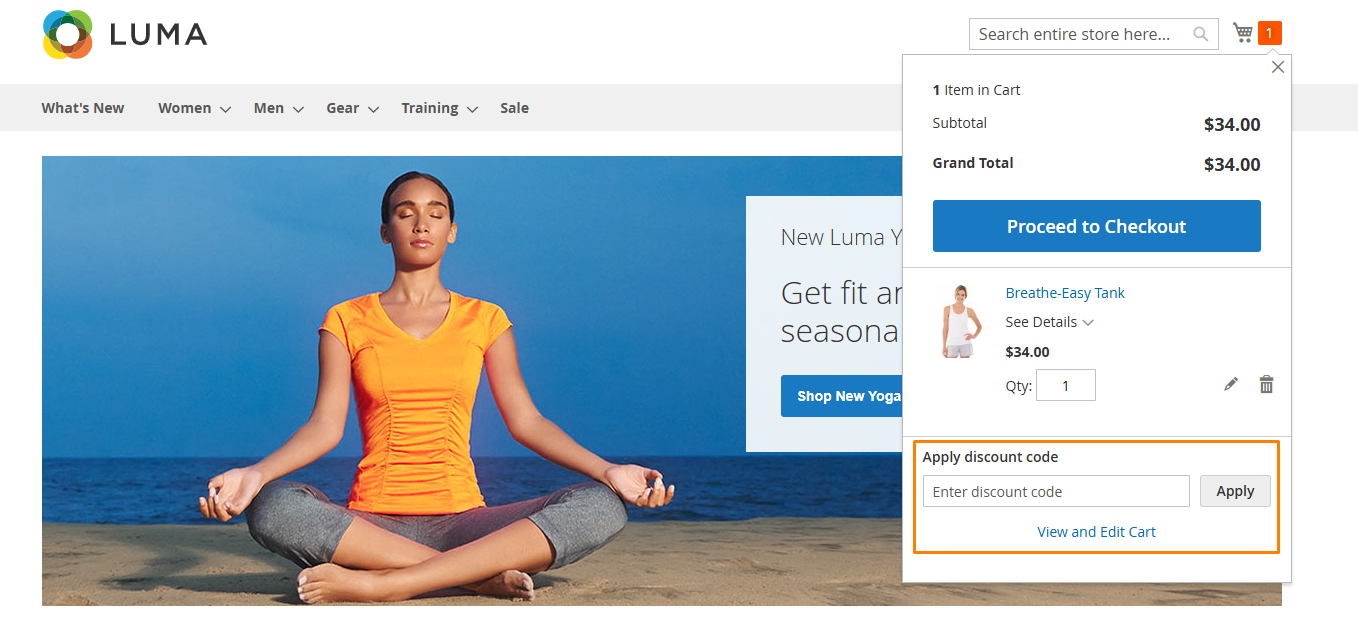
When a product is added to cart then click on minicart then display coupon code section in minicart.
Mini Cart With Coupon Applied
In the minicart, coupon code section enter a coupon code like test then apply 10% discount so that display discount and cart total in minicart.