Customer Group Restriction
Extension Installation
For Magento Marketplace Customers
-
Find the Composer name and version of the extension in the extension's composer.json file.
-
Login to your SSH and run:
- composer require mavenbird/module-cms-page-by-customer-group
- Wait for Composer to finish updating your project dependencies and make sure there aren't any errors.
-
To verify that the extension installed properly, run the command:
- php bin/magento module:status Mavenbird_CmsPageByCustomerGroup
- By default, the extension is probably disabled.
- Enable the extension and clear static view files:
- php bin/magento module:enable Mavenbird_CmsPageByCustomerGroup --clear-static-content
- php bin/magento setup:upgrade
- For Magento version 2.0.x to 2.1.x - php bin/magento setup:static-content:deploy
- For Magento version 2.2.x & above - php bin/magento setup:static-content:deploy --f
- php bin/magento cache:flush
For Mavenbird Customers
- Extract the zip folder and upload our extension to the root of your Magento 2 directory via FTP.
- Login to your SSH and run below commands step by step:
- php bin/magento setup:upgrade
- For Magento version 2.0.x to 2.1.x - php bin/magento setup:static-content:deploy
- For Magento version 2.2.x & above - php bin/magento setup:static-content:deploy --force
- php bin/magento cache:flush
Enhance user experience on your Magento 2 store by restricting CMS page visibility based on customer groups using the CmsPageByCustomerGroup Module. This module allows administrators to control which customer groups can view specific CMS pages, providing a personalized browsing experience tailored to different customer segments.
- Restrict access to CMS pages based on customer group membership.
- Easily configure visibility settings for each CMS page from the Magento admin panel.
- Ensure that sensitive content is only accessible to authorized customer groups.
- Compatible with Magento 2.4.X and supports PHP versions 8.1 to 8.3.
- Install via composer for straightforward setup and updates.
- Seamlessly update using composer and Magento CLI commands.
- Robust error handling to maintain stability and reliability.
Content Pages
Settings for Extension Content→ Pages → Edit Page->Customer Group Restrictions.
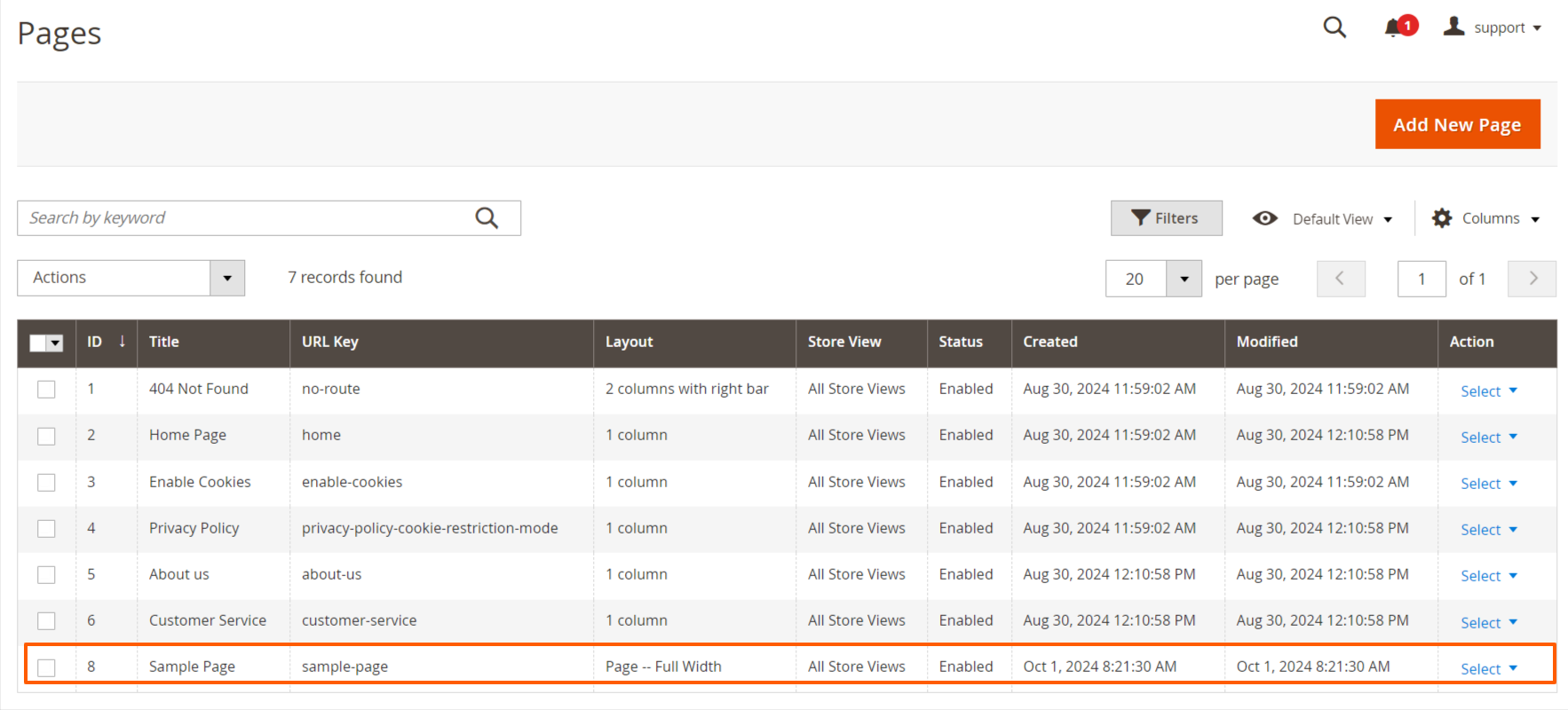

Restriction and Redirection Content of Customer Group
Customer Group: Restrict access to specific content pages or sections based on customer group memberships (e.g., wholesale, retail, NOT LOGGED IN, Wholesale, VIP).
Redirection Content: Automatically redirect customers to designated pages based on their customer group membership upon login. Direct users to landing pages or promotional offers that are most relevant to their segment, optimizing conversion rates.

Page Loading and Redirecting
When a customer visits a page on your Magento 2 website, the module identifies which customer group they belong to. Depending on the settings configured, it checks if the customer should have access to that page.
If access is restricted for their group, the module automatically redirects them to a specific page that is relevant and tailored to their group's needs.
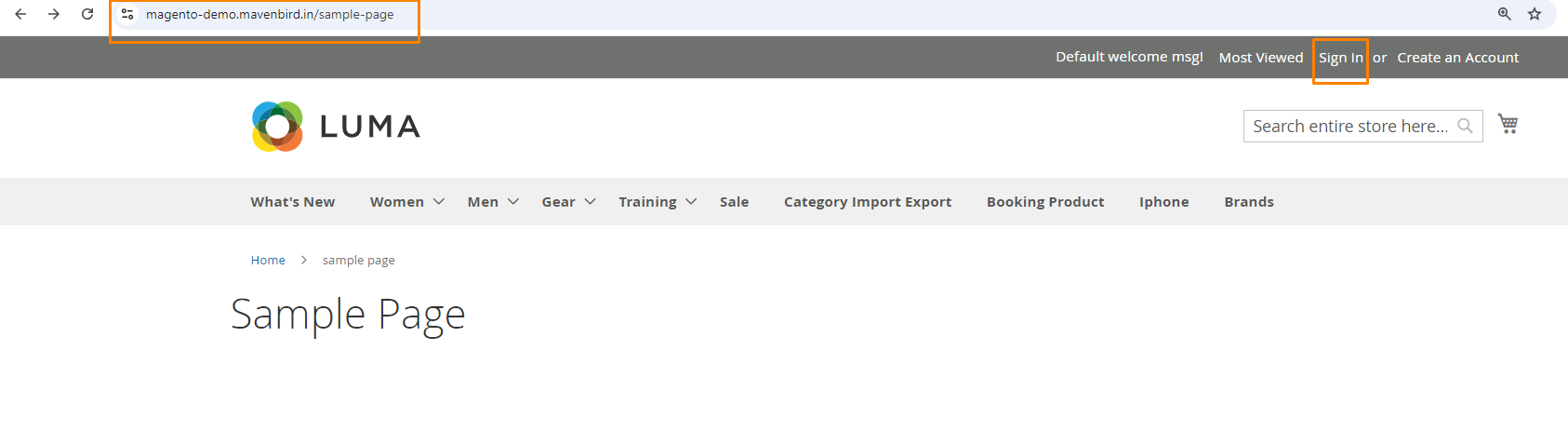
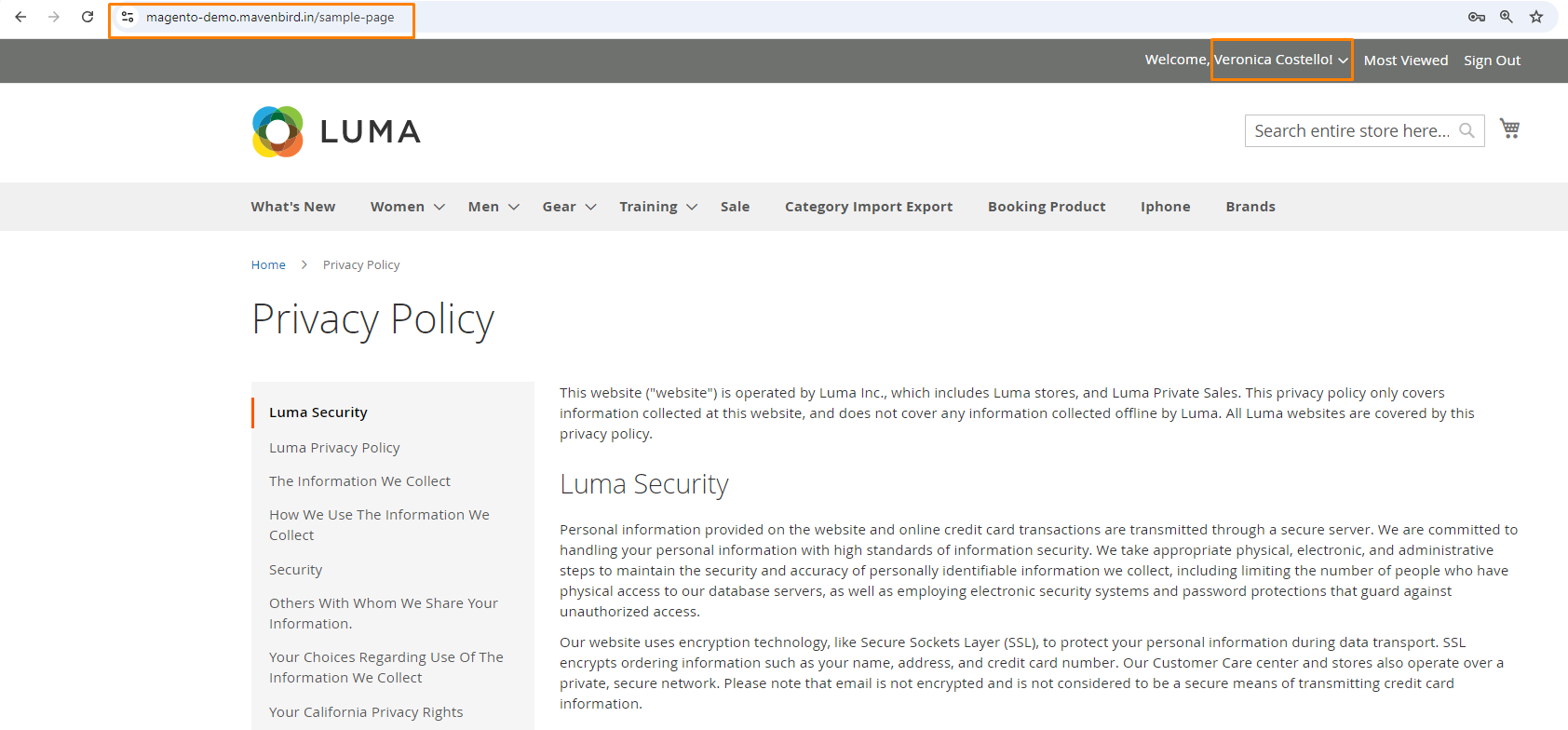
As we showing Image We Loading the “sample-page” URLKey that time checking Restricting Customer Group belong Redirected page.