Backend Reindexer
Extension Installation
For Magento Marketplace Customers
-
Find the Composer name and version of the extension in the extension's composer.json file.
-
Login to your SSH and run:
- composer require mavenbird/magento2-backend-reindex
- Wait for Composer to finish updating your project dependencies and make sure there aren't any errors.
-
To verify that the extension installed properly, run the command:
- php bin/magento module:status Mavenbird_BackendReindex
- By default, the extension is probably disabled.
- Enable the extension and clear static view files:
- php bin/magento module:enable Mavenbird_BackendReindex --clear-static-content
- php bin/magento setup:upgrade
- For Magento version 2.0.x to 2.1.x - php bin/magento setup:static-content:deploy
- For Magento version 2.2.x & above - php bin/magento setup:static-content:deploy --f
- php bin/magento cache:flush
For Mavenbird Customers
- Extract the zip folder and upload our extension to the root of your Magento 2 directory via FTP.
- Login to your SSH and run below commands step by step:
- php bin/magento setup:upgrade
- For Magento version 2.0.x to 2.1.x - php bin/magento setup:static-content:deploy
- For Magento version 2.2.x & above - php bin/magento setup:static-content:deploy --force
- php bin/magento cache:flush
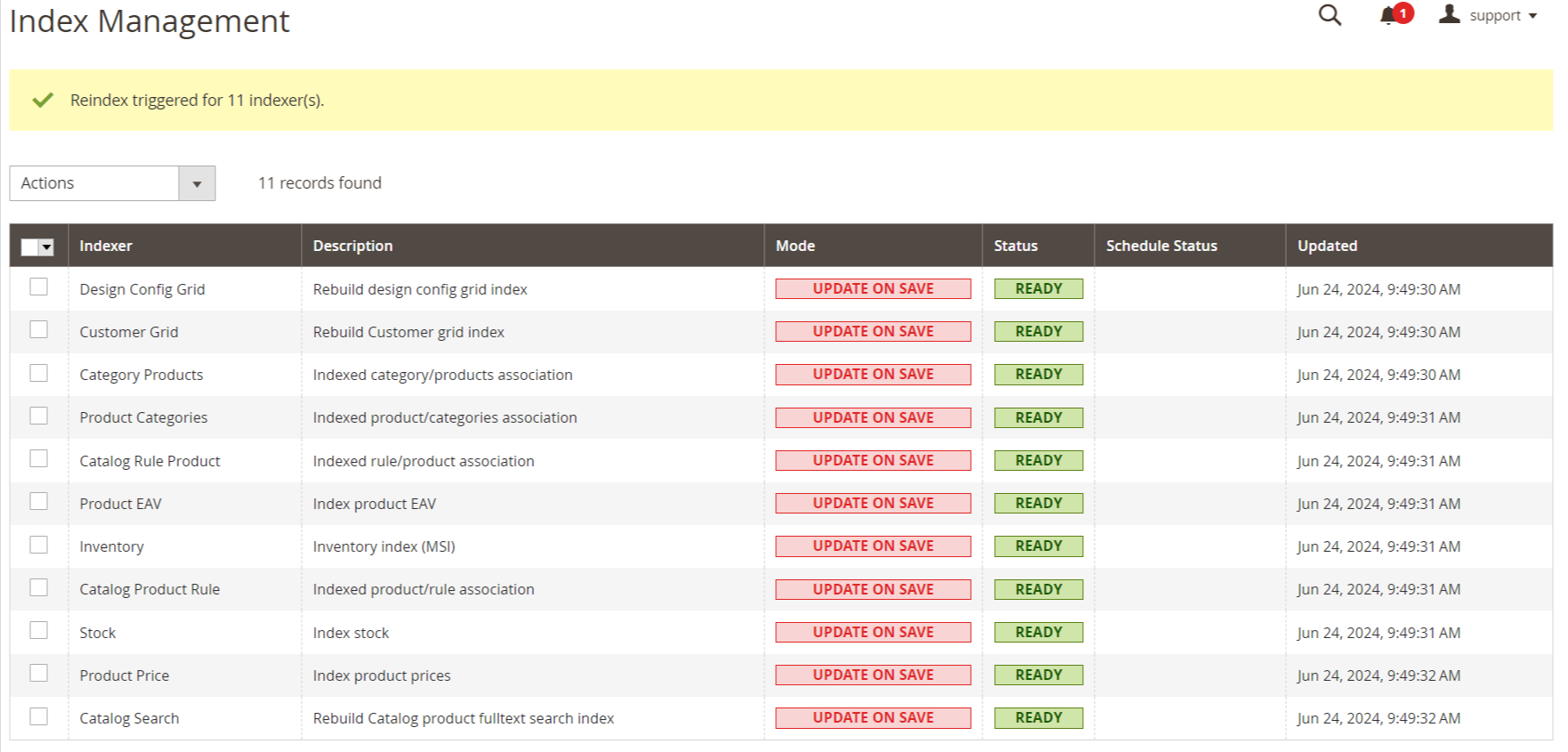
Reindexing your Magento 2 / Adobe Commerce store from Magento's admin has been removed and your only option is to set your indexes to "Update on Save" or reindex using SSH / CLI command line which is time-consuming. With our free Reindex module for Magento 2, you can quickly and easily update individual or all indexes from within your Magento admin. Ideal for project managers or QA department during site development and testing of new product and functionality. This module is not meant for large productions environment.
- Easily initiate reindexing processes directly from the Magento admin panel.
- View the status of each index, ensuring you are always informed about the indexing state.
- Perform reindexing on individual indexes or all indexes in a single click.
- Receive detailed error messages to help identify and resolve indexing issues.
- Optimize store performance by keeping indexes up-to-date.
Configuration
Go to Stores → Configuration → MAVENBIRD EXTENSIONS → Reindex
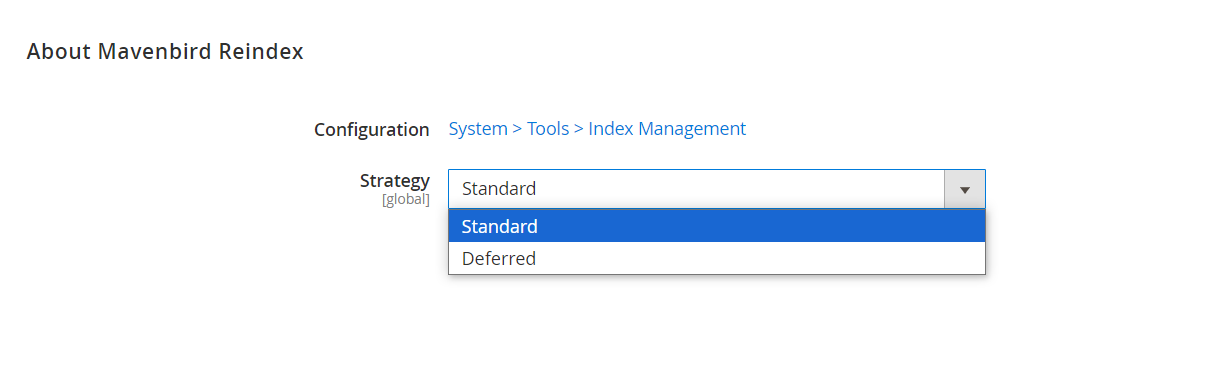
- The title "About Mavenbird Reindex" is displayed.
- There is a "Configuration" link pointing to "System > Tools > Index Management."
- An option labeled "Strategy [global]" with a dropdown menu that currently shows "Standard" as the selected option. The dropdown has two options: "Standard" and "Deferred."
Index Management
System →Index Management.
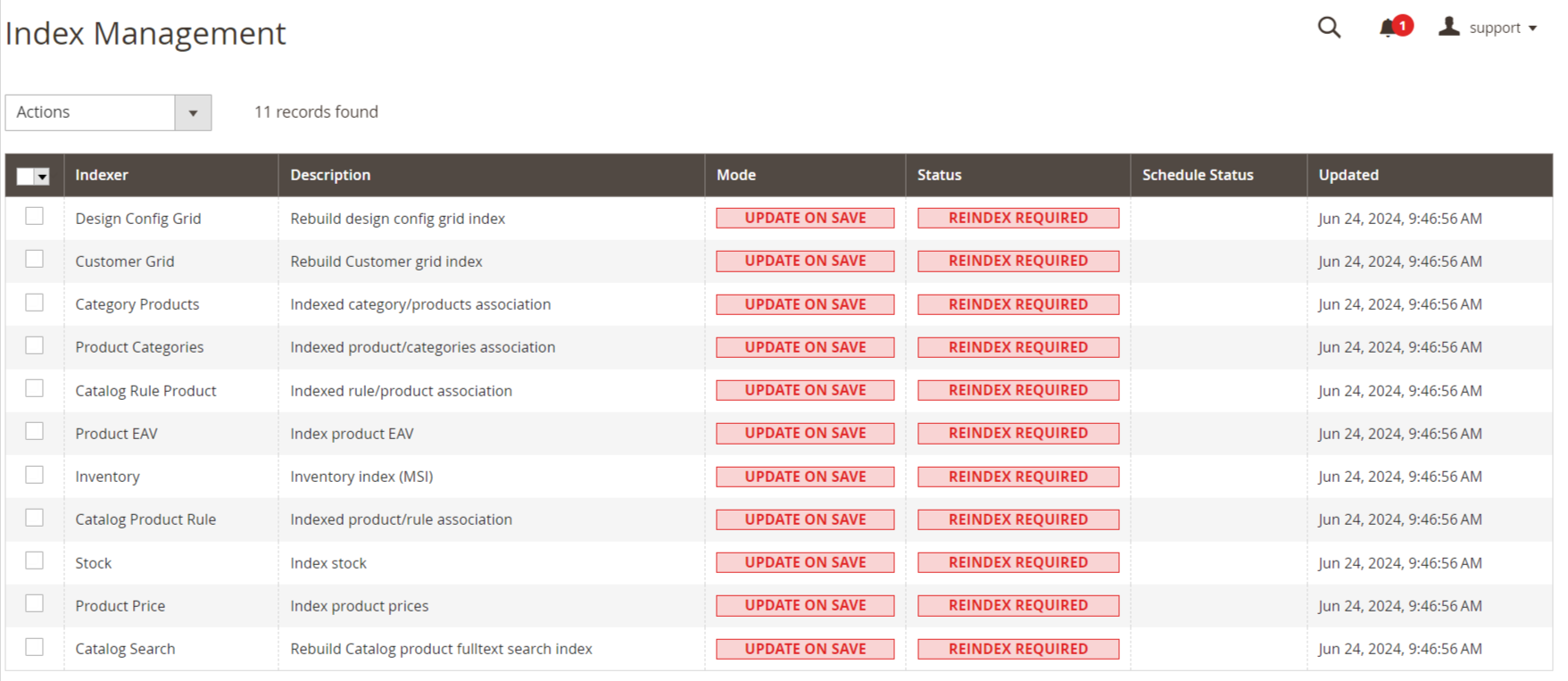
Indexing is a process that Magento 2 uses to update data efficiently in various tables. When changes are made to data, such as product prices, categories, or attributes, the data in the database must be reindexed so that it is accurate and up-to-date.