Estimated Profit
Extension Installation
For Magento Marketplace Customers
-
Find the Composer name and version of the extension in the extension's composer.json file.
-
Login to your SSH and run:
- composer require mavenbird/module-estimate-profit
- Wait for Composer to finish updating your project dependencies and make sure there aren't any errors.
-
To verify that the extension installed properly, run the command:
- php bin/magento module:status Mavenbird_EstimatedProfit
- By default, the extension is probably disabled.
- Enable the extension and clear static view files:
- php bin/magento module:enable Mavenbird_EstimatedProfit --clear-static-content
- php bin/magento setup:upgrade
- For Magento version 2.0.x to 2.1.x - php bin/magento setup:static-content:deploy
- For Magento version 2.2.x & above - php bin/magento setup:static-content:deploy --f
- php bin/magento cache:flush
For Mavenbird Customers
- Extract the zip folder and upload our extension to the root of your Magento 2 directory via FTP.
- Login to your SSH and run below commands step by step:
- php bin/magento setup:upgrade
- For Magento version 2.0.x to 2.1.x - php bin/magento setup:static-content:deploy
- For Magento version 2.2.x & above - php bin/magento setup:static-content:deploy --force
- php bin/magento cache:flush
This module for help businesses forecast and analyze their profitability. This module provides users with insights into potential profits based on various parameters, enabling informed decision-making for pricing, cost management, and sales strategies.
- Automatically calculates estimated profits based on live sales data, costs, and pricing, providing up-to-date financial insights.
- Allows users to input and modify various parameters such as product costs, sales prices, and operational expenses for tailored profit estimates.
- Facilitates "what-if" analyses to help users explore different pricing strategies and cost structures, understanding their impact on profitability.
- Generates comprehensive reports detailing estimated profits by product, category, or time frame, enabling data-driven decision-making.
- Offers visual representations of profit estimates through charts and graphs, making it easier to identify trends and communicate insights.
Product List
First of all click on Catalog → Products. Then Check Product Details.
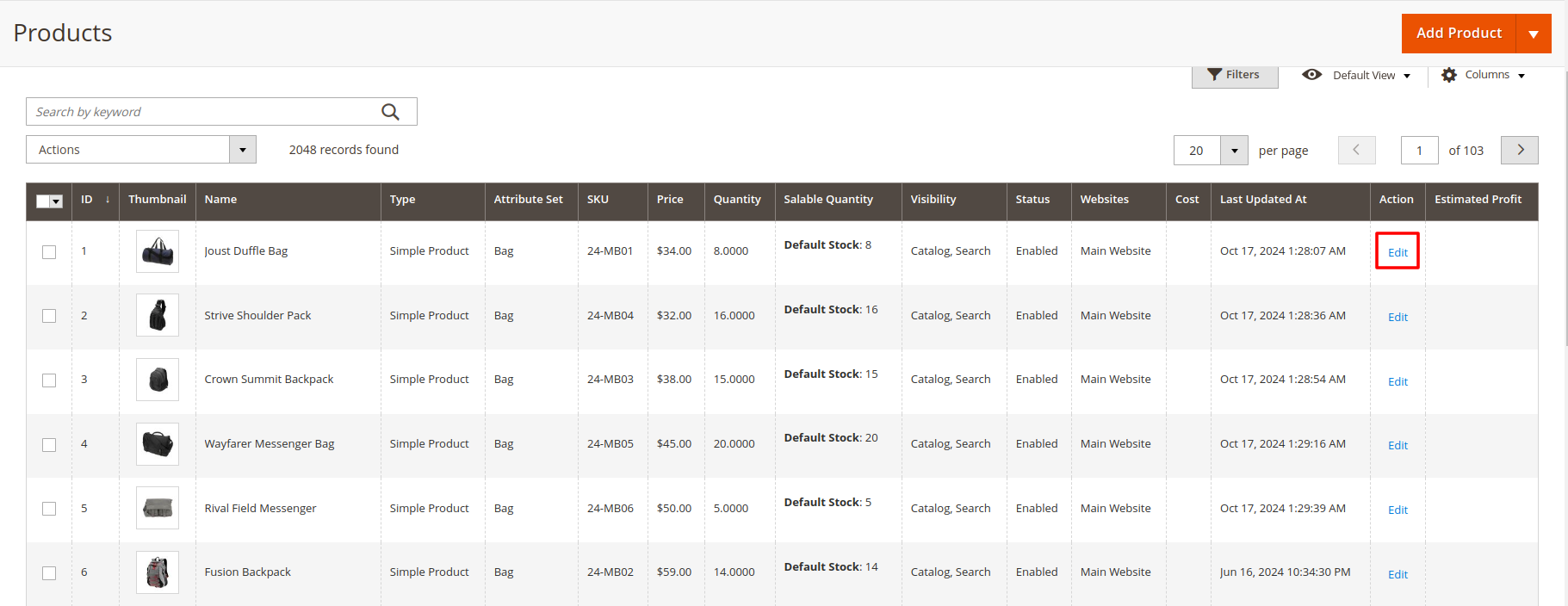
Product List Details : -
- When you click the "Edit" button, you are redirected to a list of multiple product Details and Attributes that you are able to Change.
- Managing your product catalog is a crucial part of running a successful Magento store. The Catalog/Products section provides store administrators with comprehensive tools to create, edit, and organize their products.
- With the Products feature, you can add new products to your store, update existing ones, and manage categories. This ensures that your store’s inventory is always up-to-date and accurately reflects the products you offer.
Product Edit Page
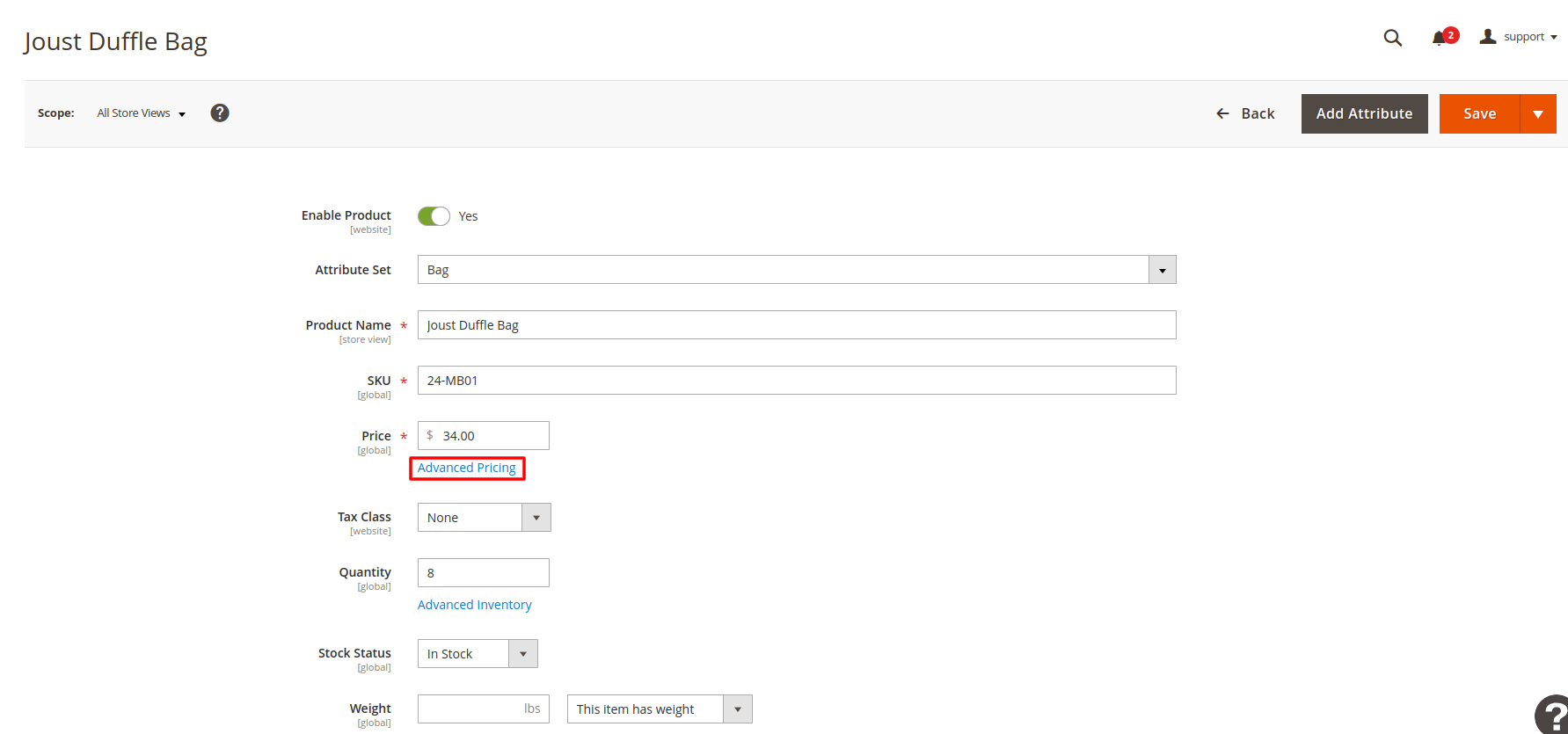
- Click on Advanced Pricing. Then Insert product cost price on duration period.
- The Edit Product button is a key feature in the Magento admin panel that allows store administrators to make modifications to existing products quickly and efficiently. By clicking this button, users are directed to a comprehensive product editing interface.
In the product edition process, you can:
- Modify Product Details: Change essential attributes such as product name, SKU, and description to ensure they are current and accurate.
- Adjust Pricing: Update the product price, set special prices, or apply tiered pricing options to meet your sales strategy.
- Manage Inventory: Update stock quantities, set stock availability, and define backorder settings to optimize inventory management.
- Edit Images and Media: Add or remove product images, videos, and other media files to enhance the product presentation.
- Set SEO Options: Improve search engine visibility by editing meta titles, descriptions, and keywords.
- Configure Product Attributes: Adjust configurable options like size, color, or material to meet customer preferences.
Insert Cost Price
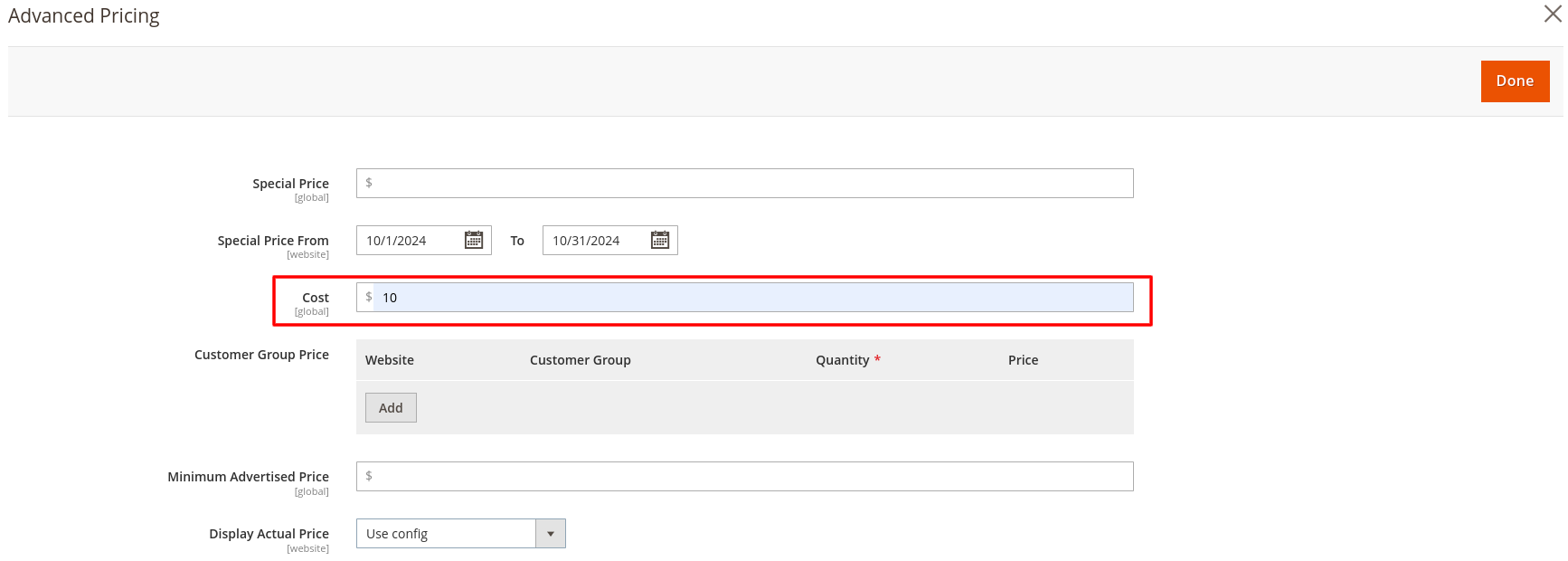
- The Insert Cost Price feature in Magento is essential for managing the financial aspects of your product catalog. This functionality allows store owners to enter the cost price of each product, which is crucial for calculating profit margins and effectively managing pricing strategies.
- After Insert Cost Price Save the product.
When using the Insert Cost Price feature, keep the following in mind:
- Accurate Cost Input: Ensure that the cost price reflects the true expenses associated with acquiring or producing the product. This includes all relevant costs such as materials, shipping, and overhead.
- Profit Margin Calculation: The cost price is instrumental in determining the profit margin for each product. By entering this value, you can assess profitability and set appropriate selling prices.
- Inventory Valuation: Having accurate cost prices helps with inventory management and financial reporting. It provides a clear understanding of the value of goods sold and remaining stock, aiding in effective financial planning.
- Dynamic Pricing Strategies: With the cost price entered, you can make informed adjustments to selling prices based on market conditions, ensuring competitiveness while safeguarding profit margins.
Estimated Product Profit
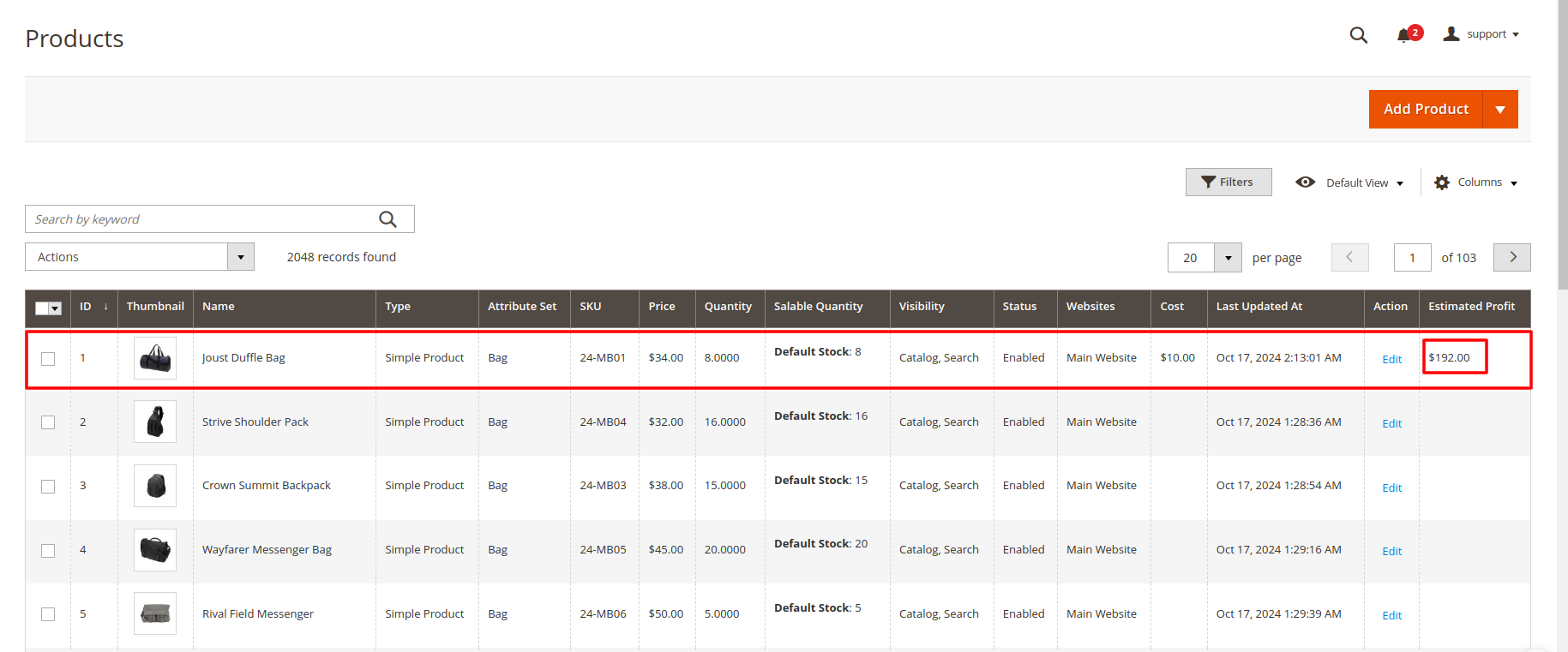
The Estimated Profit feature displays critical profit insights directly within your product listings, enabling quick assessments of each product's profitability. This includes:
- Estimated Profit Amount: The calculated profit for each product, derived from the formula: (Selling Price - Cost Price) * Quantity.
- Profit Margin Percentage: The profit expressed as a percentage of the selling price, providing a clear view of profitability.
- Real-time Updates: Automatic refreshing of profit figures as product prices or cost prices change, ensuring accuracy.
- Sorting and Filtering Options: The ability to sort or filter products based on estimated profit, facilitating strategic inventory management.