
Sometimes you need more order context than Magento 2 provides out of the box. The **Order Attribute Extension** by Mavenbird enables you to collect, view, and act upon custom fields on orders—during checkout, in emails, in admin grids, and even in PDFs. This means better data, more personalized service, and improved order-workflow efficiency.
Why Custom Order Attributes Add Value
- Capture extra information specific to your business: delivery instructions, tax ID, gift messages, etc. :contentReference[oaicite:1]{index=1}
- Show or hide fields depending on shipping method, payment method, or customer group. :contentReference[oaicite:2]{index=2}
- See all data where you need it: order grids, invoice PDFs, emails. :contentReference[oaicite:3]{index=3}
- Make the checkout more tailored for different customer segments. :contentReference[oaicite:4]{index=4}
- Support multi-store, translations, and field validation to ensure good data quality. :contentReference[oaicite:5]{index=5}
Key Features of Magento 2 Order Attribute Extension
- Define Custom Order Attributes: Add new fields (text, dropdown, date, etc.) during checkout or in admin. :contentReference[oaicite:6]{index=6}
- Flexible Display Rules: Conditions based on shipping/payment methods or customer group determine visibility. :contentReference[oaicite:7]{index=7}
- Order Grid Integration: Show custom attribute columns in order grid to view data at glance. :contentReference[oaicite:8]{index=8}
- Email & PDF Integration: Include custom fields in order confirmation emails, shipment emails, and PDFs. :contentReference[oaicite:9]{index=9}
- Admin Editing: Admins can edit or correct attribute values if needed after order placement. :contentReference[oaicite:10]{index=10}
- Multi-Store & Multi-Language Support: Labels and tooltips translatable; attributes configurable per store view. :contentReference[oaicite:11]{index=11}
How It Works in Magento Admin & Checkout
- Module Activation: Install via composer or upload, enable module, run setup upgrades, deploy static content, flush cache. (standard Magento module flow) :contentReference[oaicite:12]{index=12}
- Add New Attribute: In admin you define name, type (text, date, dropdown, file upload, etc.), validation rules, display conditions. :contentReference[oaicite:13]{index=13}
- Checkout Integration: Custom field appears on checkout form or according to rules (shipping/payment/customer group). Customer fills it. :contentReference[oaicite:14]{index=14}
- Display & Communication: Field value shows in order view in admin, in email notifications, and in generated PDF invoices. :contentReference[oaicite:15]{index=15}
- Order Grid Visibility: Custom attributes added as columns in Orders grid so admins can see values without opening each order. :contentReference[oaicite:16]{index=16}
Business Benefits You Gain
| Benefit | Impact |
|---|---|
| Better Order Context | Collect all needed data at checkout, reducing follow-ups or missing info |
| More Efficient Admin Workflow | Seeing attribute values in grid saves time opening orders |
| Enhanced Customer Experience | Tailored checkout fields make store feel more relevant |
| Improved Documentation & Communication | Emails, PDFs include all relevant attributes so nothing is lost in manual edits |
Example Use Case
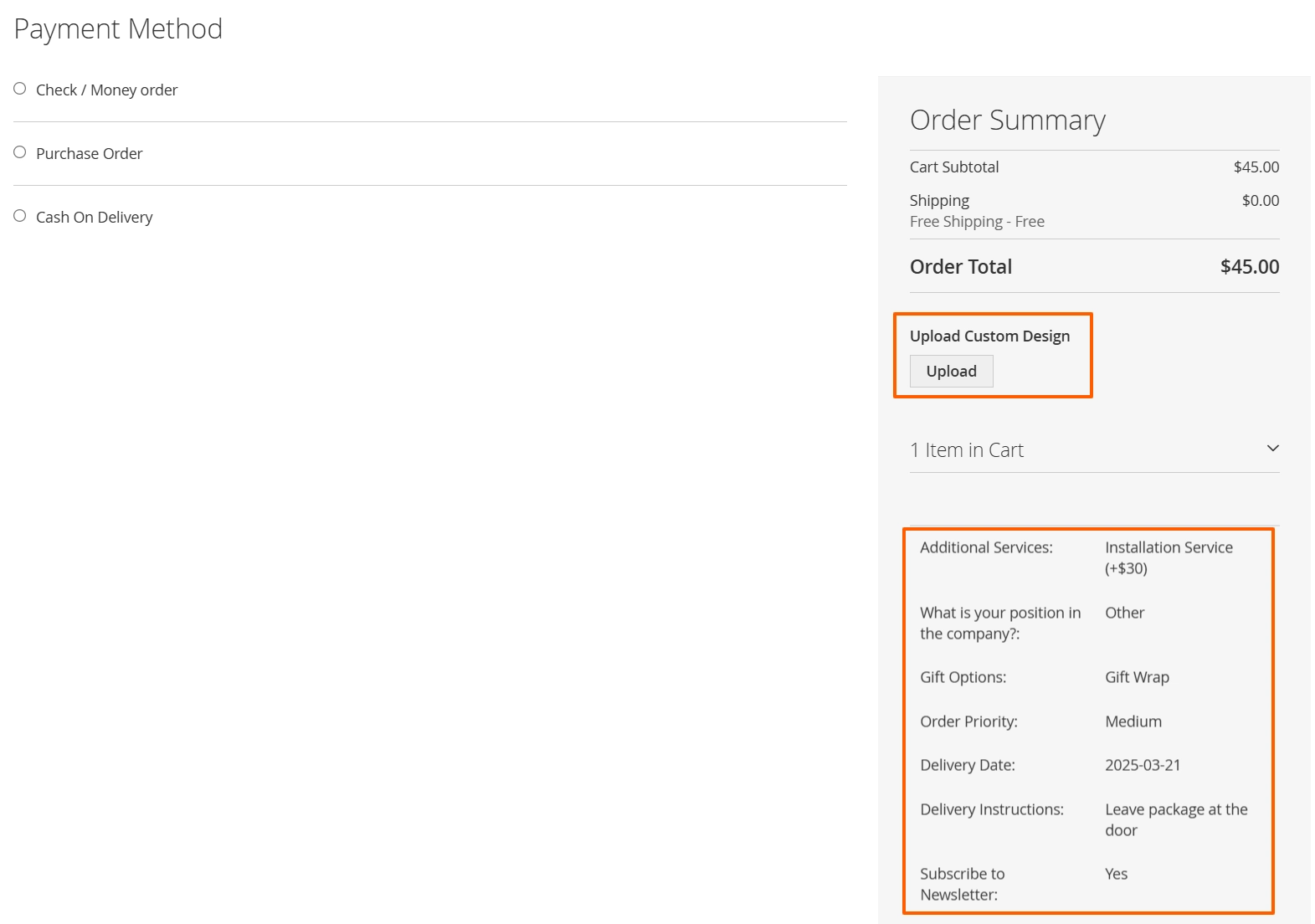
If some customers require a "Tax ID" field only when choosing a B2B shipping method, you can configure that. Or use a "Gift Message" field only for certain payment methods. The attribute data flows through checkout → order grid → email invoice, giving full visibility. No custom code needed.
Attribute Management Screenshot:
Mavenbird makes Magento 2 stores more adaptable, letting you capture custom order details that match your operational needs without extra development effort.
Contact Us today and enhance your order management process.