
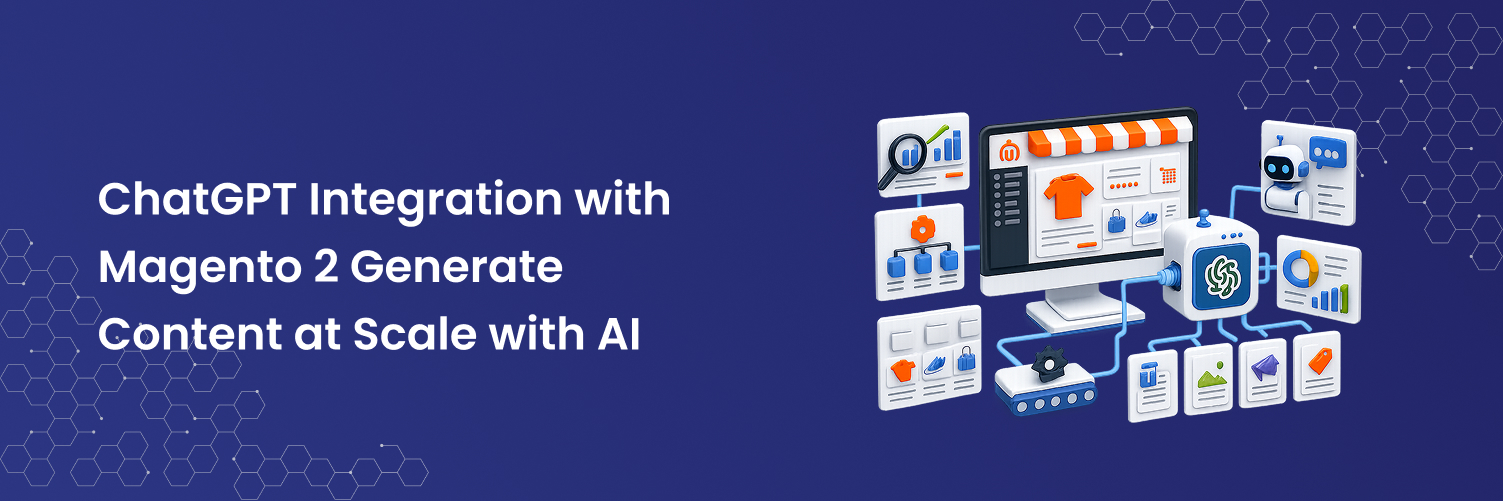
Magento 2 stores with large catalogs face a persistent problem: writing high-quality, SEO-optimised product descriptions at scale is prohibitively expensive and slow when done manually. A store with 5,000 products, each needing a unique description, meta title, and meta description, could take a dedicated copywriter over a year to complete and require continuous updating as products and search trends evolve.
ChatGPT integration changes that equation entirely. By connecting OpenAI's latest language models directly to your Magento 2 admin panel, the Mavenbird AI Content Generator lets you generate, review, and publish AI-powered content for any number of products in a fraction of the time without leaving the admin.
ChatGPT-powered content generation bulk product descriptions, SEO metadata, and Page Builder content directly inside your Magento 2 admin. Supports GPT-5, GPT-4o, GPT-4 Turbo, and more.
What is the Magento 2 AI Content Generator?
The Mavenbird AI Content Generator is a Magento 2 extension that integrates the OpenAI API the same technology powering ChatGPT directly into your store's admin panel. Once installed and connected to your OpenAI API key, it surfaces an AI content button on every product edit page, category page, and CMS content block in your store.
With a single click, the extension calls OpenAI's language model, passes it your product data (name, attributes, category, existing description), and returns a fully written, SEO-ready description. You can review, edit, and publish it instantly or use the bulk mode to process hundreds of products in one go.
Extension in Action


Supported OpenAI Models Including the Latest GPT-5
The extension keeps pace with OpenAI's rapid model releases. You choose which model to use in the admin configuration so you can balance output quality, speed, and API cost based on your needs.
OpenAI's most capable model. Best for nuanced, long-form product storytelling and complex SEO content.
Fast and cost-efficient for high-volume bulk generation where speed matters most.
Lightweight model ideal for meta titles, short descriptions, and high-throughput catalogue updates.
Excellent quality-to-cost ratio. Reliable for detailed product descriptions and structured SEO data.
High-quality output with a large context window ideal for long-form category descriptions.
Budget-friendly for stores needing fast, basic descriptions across very large catalogues.
Key Features of the AI Content Generator
Simply enter your OpenAI API key in the Magento admin configuration, select your preferred language model, and the integration is live. No complex configuration or developer work required.
Select multiple products from the product grid and generate descriptions, meta titles, and meta descriptions for all of them simultaneously. Process hundreds of products in the time it would take to write one manually.
The AI generates content specifically designed to avoid duplicate or thin content penalties. Meta titles, meta descriptions, and product copy are structured for search engine visibility not just readability.
Generate AI content directly inside Magento Page Builder. Create compelling homepages, landing pages, CMS blocks, and About Us sections without leaving the editor AI suggestions appear inline.
Generate content in multiple languages for multi-store setups. Prompt the AI in your target language and receive correctly structured content ready for each store view no separate translation step needed.
Customise the AI prompt template to match your brand voice, industry terminology, and specific content requirements. The extension passes your product attributes dynamically so every output is product-specific, not generic.
How to Integrate ChatGPT with Magento 2 Step by Step
Getting ChatGPT running in your Magento 2 store takes less than 10 minutes with the Mavenbird AI Content Generator. Here's the full process:
Purchase the AI Content Generator from store.mavenbird.com. You'll receive the extension package and your licence key via email. One year of free support and updates is included.
Unzip the extension package and upload the app/code/Mavenbird/ModuleAiContentGenerator folder to your Magento root.
Log in to platform.openai.com, navigate to API Keys, and create a new secret key. Copy it you'll only see it once. Ensure your OpenAI account has sufficient credits for your expected generation volume.
In your Magento admin, navigate to Stores → Configuration → Mavenbird → AI Content Generator. Enter your OpenAI API key, select your preferred language model (GPT-5, GPT-4o, etc.), and save the configuration.
Open any product edit page. You'll see a new "Generate with AI" button next to description, meta title, and meta description fields. Click it, review the generated content, make any edits, and save. For bulk generation, use the product grid's mass action menu.
What Content Can the AI Generate?
| Content Type | Location in Magento | AI Generated? |
|---|---|---|
| Product Description (short) | Product Edit → Content | ✓ Yes |
| Product Description (long) | Product Edit → Content | ✓ Yes |
| Meta Title | Product Edit → Search Engine Optimization | ✓ Yes |
| Meta Description | Product Edit → Search Engine Optimization | ✓ Yes |
| Meta Keywords | Product Edit → Search Engine Optimization | ✓ Yes |
| Category Description | Category Edit → Content | ✓ Yes |
| CMS Page Content | Content → Pages | ✓ Yes |
| Page Builder Blocks | Content → Blocks / Page Builder | ✓ Yes, inline in editor |
| Page Builder HTML | Page Builder HTML element | ✓ Full HTML generation |
With vs. Without the AI Content Generator
| Task | Without AI (Manual) | With AI Content Generator |
|---|---|---|
| Write 1 product description | 15–30 minutes | ✓ Under 10 seconds |
| 100 product descriptions | 25–50 hours | ✓ Under 20 minutes (bulk) |
| SEO metadata for full catalogue | Weeks of copywriter time | ✓ Hours, automated |
| Content consistency across SKUs | Varies human inconsistency | ✓ Consistent tone & structure |
| Update content when trends change | Manual rewrite required | ✓ Regenerate in bulk instantly |
| Multi-language content | Separate translators needed | ✓ Generate in any language directly |
| Cost per product (content) | $5–$25 per product (copywriter) | ✓ Fractions of a cent per product |
v2.5.0 last updated for Magento 2.4.8-p3 and PHP 8.4 compatibility.
Real Use Cases Who Benefits Most?
Fashion & Apparel stores with hundreds of seasonal SKUs can generate fresh, trend-aware product descriptions every season without hiring extra copywriters.
Electronics retailers with technical specifications can instruct the AI to transform dry spec data into compelling, benefit-led descriptions that convert browsers to buyers.
Furniture and home décor brands can use the extension to generate lifestyle-focused descriptions that paint a picture rather than just listing dimensions and materials.
B2B distributors managing thousands of part numbers can use bulk generation to create baseline descriptions for previously undescribed SKUs, dramatically improving catalogue searchability overnight.
Multi-store operators can generate localised content in different languages for each store view, reducing translation costs and ensuring each market has native-quality copy.
Frequently Asked Questions
What is the Magento 2 AI Content Generator extension?
The Magento 2 AI Content Generator by Mavenbird integrates OpenAI's API (ChatGPT) directly into your Magento 2 admin panel. It allows you to generate product descriptions, meta titles, meta descriptions, category content, and Page Builder copy automatically individually or in bulk using the latest AI models including GPT-5 and GPT-4o.
Do I need an OpenAI account to use this extension?
Yes. You will need an OpenAI account with API access and an active API key. OpenAI charges for API usage on a per-token basis (typically fractions of a cent per product description). The extension itself is a one-time purchase from Mavenbird the OpenAI API cost is separate and dependent on your usage volume and chosen model.
Does it support GPT-5?
Yes. The extension supports all current OpenAI models including GPT-5, GPT-5 Nano, GPT-5 Micro, GPT-4o, GPT-4 Turbo, and GPT-3.5. You select your preferred model from the Magento admin configuration. New models are added with extension updates, which are free for one year from purchase.
Can I generate content in bulk for multiple products?
Yes. The extension includes a bulk generation mode accessible from the Magento product grid. Select multiple products using checkboxes, choose the bulk action from the mass actions menu, and the AI generates content for all selected products simultaneously. You can generate descriptions, meta titles, meta descriptions, or all three in one bulk run.
Is the AI Content Generator compatible with Hyvä Theme?
Yes. The extension is officially Hyvä Ready and has been tested on Hyvä-based storefronts. It is also compatible with standard Luma-based themes, Magento 2 CE, EE, and Adobe Commerce across versions 2.3.x and 2.4.x.
Can I customise what content the AI generates?
Yes. The extension allows you to customise the AI prompt template to specify tone of voice, content length, structure, target keywords, and any brand-specific requirements. Your product's name, attributes, and existing data are passed to the AI automatically as context ensuring generated content is product-specific, not generic.
What is included with the $99 purchase?
The $99 price includes the extension for Magento 2 Community Edition. Enterprise Edition installations are available at an additional $99. Every purchase includes free installation assistance, one year of free support, and one year of free updates including compatibility patches for new Magento versions released during that period.
Ready to bring ChatGPT into your Magento 2 store?
The Mavenbird AI Content Generator is available now for $99 one-time purchase, free installation, 1 year support & updates included. Try the backend demo before you buy.