
Displaying your products on Google Shopping can bring massive reach—but managing compliant product feeds manually is tedious and error-prone. The **Magento 2 Google Shopping Feed Extension** automates feed generation, attribute mapping, and scheduling. It makes your product catalog Google-ready without constant manual work.
Why a Robust Google Shopping Feed Matters
- Google Shopping drives traffic via product listing ads (PLAs).
- Google requires strict attribute standards (brand, category, etc.).
- Frequent updates (price, stock) are needed for compliance.
- Multi-store sites require separate feeds per view / locale.
Key Features of the Google Shopping Feed Extension
- Automated Feed Generation: Creates product feeds compatible with Google Merchant Center. :contentReference[oaicite:0]{index=0}
- Attribute Mapping: Map Magento product attributes (title, price, image, category) to Google Shopping fields. :contentReference[oaicite:1]{index=1}
- Category Mapping: Map your categories to Google’s taxonomy for better placement. :contentReference[oaicite:2]{index=2}
- Multi-Store & Locale Support: Generate separate feeds for each store view or region. :contentReference[oaicite:3]{index=3}
- Scheduled Updates: Cron based feed refreshes ensure data stays current. :contentReference[oaicite:4]{index=4}
- Error Notifications: Admin receives alerts on feed generation failures. :contentReference[oaicite:5]{index=5}
- Google Merchant Integration: Direct linking / syncing with Merchant Center. :contentReference[oaicite:6]{index=6}
- User-Friendly Interface: Configure feeds, mappings, scheduling from Magento admin. :contentReference[oaicite:7]{index=7}
How It Works in Your Store
- Add Feed: In admin, go to Catalog → Google Shopping Feed → Add Feed. Set name, filename, feed type. :contentReference[oaicite:8]{index=8}
- Set Feed Configuration: Define feed attributes (ID, name, category, price, description etc.). :contentReference[oaicite:9]{index=9}
- Map Attributes & Categories: Link Magento product attributes and categories to Google’s required fields and taxonomy. :contentReference[oaicite:10]{index=10}
- Schedule Updates: Choose when and how often the feed is regenerated (cron). :contentReference[oaicite:11]{index=11}
- FTP or Export: Optionally configure FTP export or make the feed available via URL. :contentReference[oaicite:12]{index=12}
- Monitor & Fix Errors: Review feed logs and error notifications. :contentReference[oaicite:13]{index=13}
Business Benefits You Gain
| Benefit | Impact |
|---|---|
| Time Savings | No manual feed creation or export |
| Feed Accuracy & Compliance | Meets Google’s standards, reduces disapprovals |
| Better Reach & Sales | Your products get listed in Google Shopping search |
| Scalability | Handles multiple stores, languages, currencies seamlessly |
Example Flow
You sell in US and India stores. The extension generates two distinct feeds: one USD feed and one INR feed. Each feed is mapped to Google’s taxonomy. Cron job updates feeds daily. Feed logs show any attribute errors. Google Merchant pulls your updated feed automatically.
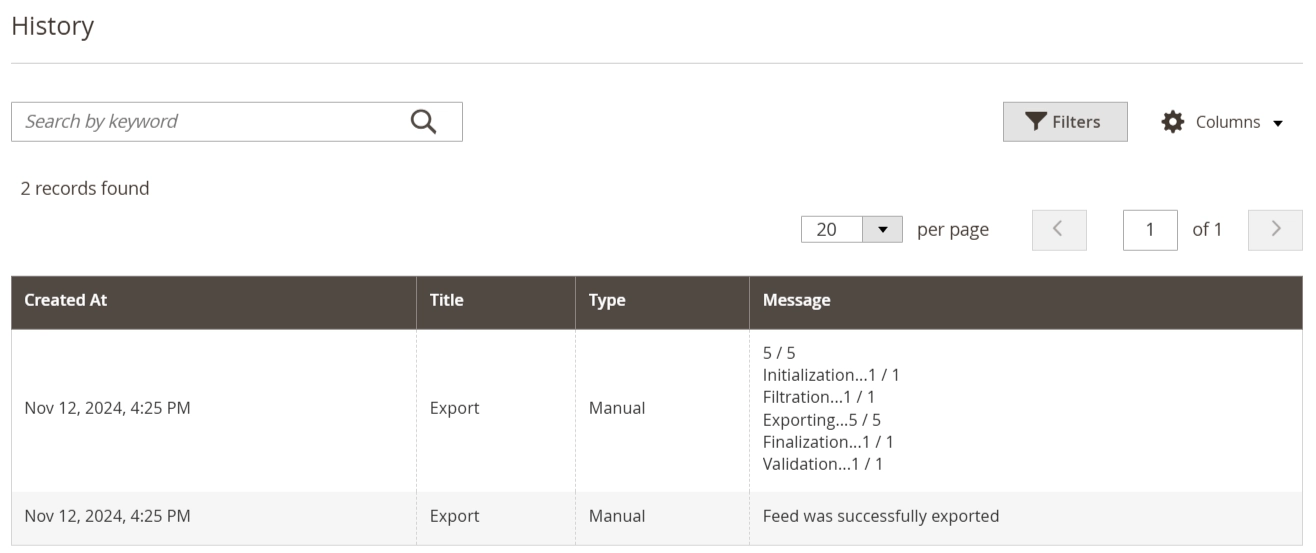
Admin Feed Dashboard Screenshot:
Mavenbird empowers Magento 2 merchants to boost product visibility and sales by automating and optimizing Google Shopping feeds.
Want to list your products on Google Shopping effortlessly?
Contact Mavenbird today and automate your feed management.
Contact Mavenbird today and automate your feed management.